chrome://extensionsin the omnibar and hit enter. Any extension can be disabled, uninstalled, or reloaded.Archive for September 2009
Google Chrome New Built-In Extension Manager
How To Set IMDB Images As Video Thumbnails In Nautilus And Thunar [Linux]
The following post will explain how to replace the video thumbnails for their IMDB images, like so:

That being said, here's what you need to do:
1. For this trick, we will use imdb-thumbnail, a package available in both rpm (Fedora, Red Hat, etc) and .deb (Ubuntu, Debian, etc) packages. If you don't use one of these distributions, there is also the tar.bz2 package. Download the package suited for your distro from these links and install it.
New OpenShot Version Out, Brings 33 New Video & Audio Effects
Openshot, the great new Linux non-linear video editor (which we covered here, at Web Upd8 a while ago) released a new version, 0.9.42, which includes 33 video & audio effects (30 video and 3 audio) and a preview window ehich allows you to view any changes before applying.
Also, a new PPA for Ubuntu users has been set up starting today. To add it, run the following commands in a terminal:
Download Paragon Partition Manager 10 For Free - Today Only!
Normally $39.95, Paragon Software's Partition Manager 10.0 Personal can be yours absolutely free. Today only. From software-freebie site Giveaway of the Day.
If you haven't visited the site before, here's how it works: You've got until midnight tonight (ET) to download and install the software. Other than that, there are absolutely no strings attached.
New features in Paragon Partition Manager 10:
Mount iPhone / iPod Touch in Ubuntu [How-to]
1. Add the following repository
Open a terminal and paste this:
sudo sh -c "echo 'deb http://ppa.launchpad.net/jonabeck/ppa/ubuntu jaunty main' >> /etc/apt/sources.list"For any other version, simply replace the jaunty by the respective version name (hardy, intrepid or karmic).
Alternatively, Ubuntu Karmic users can run this instead of the command above:
sudo add-apt-repository ppa:jonabeck2. Add the PPA key using this command:
sudo apt-key adv --recv-keys --keyserver keyserver.ubuntu.com F0876AC93. Install ifuse:
sudo apt-get update && sudo apt-get install ifuseOnce the installation is done, connect your iPhone to your computer via the USB cable.
4 GB Of RAM In Ubuntu 32bit [How-to]
Firstly, please note that to achieve this, you must install the Ubuntu Server Kernel which has Phisical Extencion Address Enabled (PAE) enabled thus allowing Ubuntu to see all 4 GB of RAM. You can also compile the 32 Kernel desktop version yourself, and enable PAE but that's difficult to explain so I'll not cover that :). Once, that was easily done with Kernelcheck, but now kernel.org changed something which made Kernelcheck to stop working. Another solution would be to just install the 64bit Ubuntu.
Warmth Gnome Theme Updated (Also Works On Ubuntu Netbook Remix)
Warmth theme, an amazing Gnome theme which was available in the Incoming Karmic Artwork, wasn't in the proposed community theme pack (oddly). The theme was recently updated:
New Free Translate Tool For Your Website, From Facebook
The technology is based on the same solution Facebook (Facebook) developed for itself when it decided to make the site available in multiple language.
How it works:
Dropbox Available For iPhone
Dropbox, one of our favorite cross-platform file-syncing tools, has now made its way to the iPhone and iPod touch, complete with offline file viewing.With this new iPhone app, users will get access to all their Dropbox documents, PDF’s, pictures, videos and much more. Dropbox also introduced offline viewing in the iPhone app, with “Favorites.” If you add a file to your ‘Favorites’, they’ll be accessible at any time. To do so, just hit the star at the bottom of any file, and it’ll be added. Otherwise, your files stay in the cloud.
Images As Folder Icons In Gnome
The script basically automates the process of converting a folder icon to, by default, an image in that folder by the name of either folder.jpg or Folder.jpg.
To run the script, navigate to folder you have saved it to (in the terminal, e.g. "cd Desktop"), and type:
python custom_icon.py -R /folder/folder (replacing "folder" for the directory you want to convert)Install New Tab King 2.1.0 Firefox Addon - Super Powers For Your New Tab Page
The New Freeware Anti-Virus From Microsoft: Security Essentials
Microsoft warns that MSE should not be installed alongside any other antimalware application. Indeed, MSE's installer disables Windows Defender completely, which makes sense as it is a sort of superset to Windows Defender. It builds upon Windows Defender by offering both real-time protection and on-demand scanning for all types of malware.
Google Docs Turns Images Into Editable Text (OCR)
![]() | ![]() |
| Original image | Editable text (result) |
[via labnol.org]
Another Way Of Disabling Your Recent Documents In Gnome
Install Amarok 2.2 In Ubuntu Jaunty and Fedora
I loved Amarok 1.4 and even used it in Gnome. Then, I really hated all the 2.x series until this 2.2. It's kind of slow, but it finally looks like a real music player and reminds me why I liked Amarok so much. I'm currently using it in Ubuntu Jaunty and since there are only .deb files for Ubuntu Karmic posted on the announcement download link (actually those are for version 2.2 beta), I thought I'd let you know how to install it in Ubuntu Jaunty.
Installing Amarok 2.2 In Ubuntu Jaunty
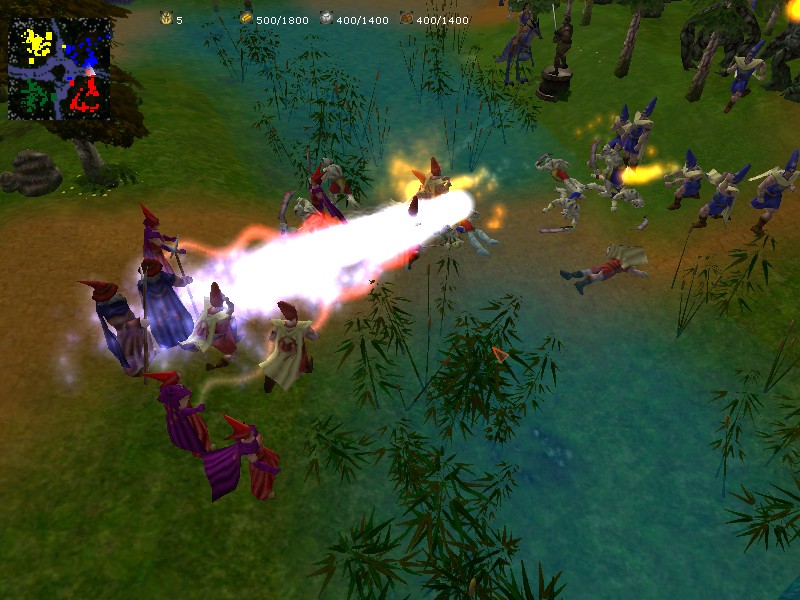
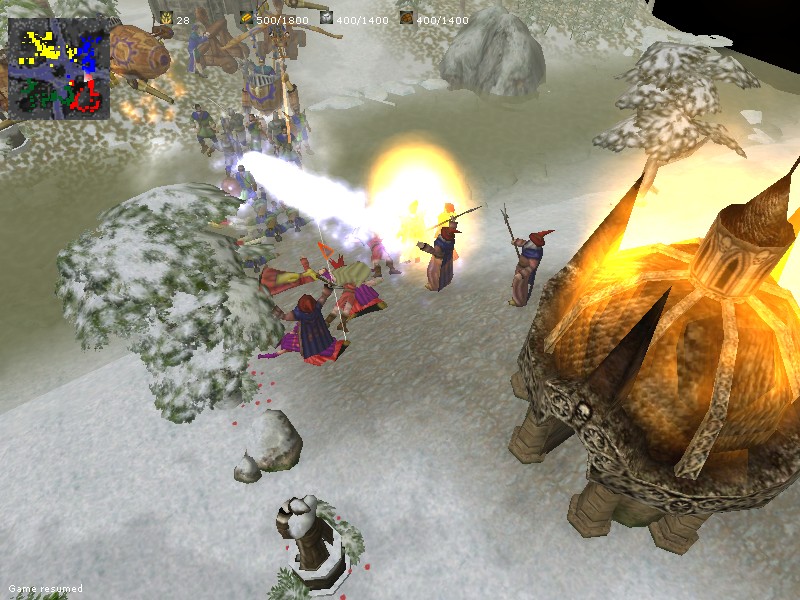
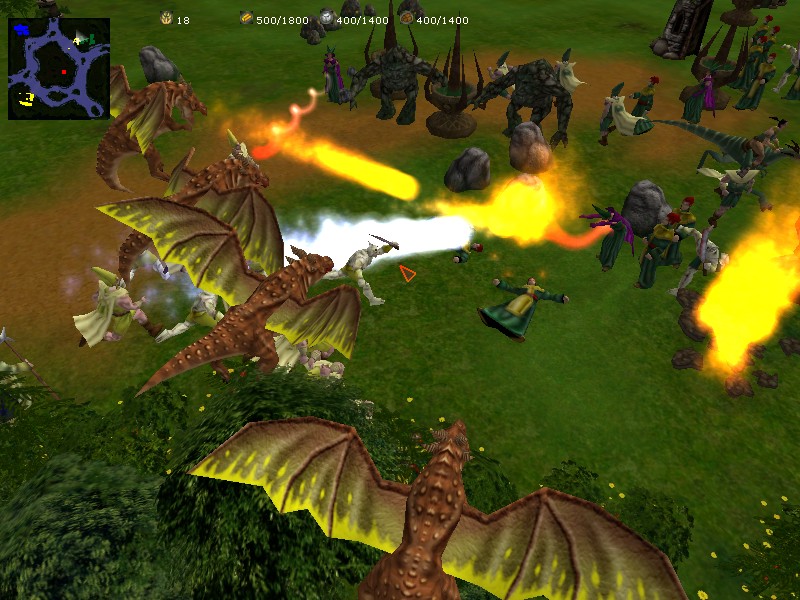
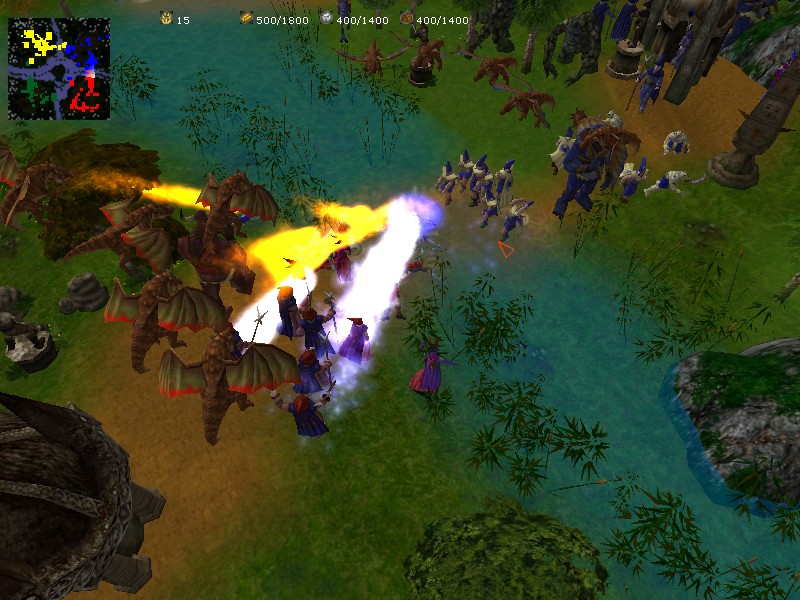
Glest: Real Time Strategy Game For Windows and Linux [FREE]
Video & Screenshots:
![]() | ![]() |
![]() | ![]() |
Automatic NASA Astronomy Wallpaper [Linux]
The script automatically downloads the image and sets it as your wallpaper so after running the script, you don't have to do anything else.
For the script to automatically change your wallpaper every time you power-up your computer and boot into Linux, go to System > Administration > Startup Applications, click "Add", in the "Name" field enter whatever you want and in the "Command" field, enter the full path to the downloaded script (link at the end of the post).
Ubuntu Kernel PPA
Go to Ubuntu Kernel PPA and download the .DEB files for the Kernel version you want to upgrade. Yes, it's as simple as that. There is of course, a delay until the Kernel is packed into .DEB packages, but for instance, right now on Kernel.org (off topic: who else thinks the kernel.org website seriously needs a redesign?), the latest stable version is 2.6.31.1 while on the Ubuntu Kernel PPA, the latest stable version is 2.6.31 (the unstable versions are the same).
Why would you want to upgrade the Kernel? Because newer Kernel versions come with lots of fixes and more hardware support thus, if you have problems with let's say your audio or video card, this could be solved in the latest Kernel version.
Convert Any Format to MP3 / AVI With Crazy Media Converter [Windows]

Paint.NET for Linux: Paint.Mono
Paint.NET is one of the best image editing applications for Windows and it has a version for Linux too, called Paint.Mono (or Mono Paint). According to Miguel de Icaza, most of the features in Paint.NET have been ported over to Paint-Mono, with more to come. Apparently, this should also work on Mac OSX, details HERE.
Features
Download BleachBit 0.6.5 Beta [Linux & Windows]
About BleachBit
BleachBit quickly frees disk space, removes hidden junk, and easily guards your privacy. Erase cache, delete cookies, clear Internet history, remove unused localizations, shred logs, and delete temporary files. Designed for Linux and Windows systems, it wipes clean over 50 applications including Firefox, Internet Explorer, Flash, Google Chrome, Opera, Safari, Adobe Reader, APT, and more.
Beyond simply deleting files, BleachBit includes advanced features such as shredding files to prevent recovery, wiping free disk space to hide traces of files deleted by other applications, and vacuuming Firefox to make it faster.
It works on both Windows and Linux, it's open source and now portable.
Rotating Ads Using A Simple JavaScript Function
GUI For Configuring Conky
In case you don't know what Conky is, take a look at the "info panel" in the below image:
The problem with Conky (for some) is that you have to manually edit the config file with lots of variables, etc. We've seen other ways of easily creating conkyrc files (the Conky configuration file), such as using Conky Colors, but this only allows you to use pre-build Conky configuration files, so if you want to customize everything yourself, you must manually edit the conkyrc file (~/.conkyrc). Here's where Conky GUI comes in.
Last Week's Top Posts (Week 39, 2009)
- Real-Time Earth Wallpaper For Linux
- An Easy Way To Install Gnome Shell
- Ubuntu 9.10 Karmic Koala Alpha 6 Released, Features The New Ubuntu Software Store
- Linux Game Repository With a GUI: DJL
- Ubuntu 9.10 Karmic Koala (Almost)Final Artwork [Screenshots]
- Change Ctrl + Alt + Delete Behavior To Open System Monitor, in Gnome [ Linux ]
- 12 Gnome / Ubuntu Themes [Recently Updated]
- 10 Beautiful jQuery Menus w/ Tutorials
- Download Files From Megaupload, Rapidshare and Others In Linux, via Command-Line, With Plowshare
- Single-Window Confirmed For Gimp 2.8 (And More)
SSH Server With Dynamic IP Address [How to - Linux]
The first thing you need to do is create an https://dyndns.com/ account and then go to My account > My hosts > add a dynamic dns and pick some hostname such as myhomepc.homelinux.com or whatever you want. This will point to your current IP but if your IP is dynamic, it will change so we need to update this info in DynDNS automatically.
For this, we'll create a script in your /etc/cron.hourly/ folder:
sudo gedit /etc/cron.hourly/dyndnsThere are 2 different versions for this script: bash and python, use whichever you want from below, but make sure the file name is dyndns without extension (no .py) because the scripts in cron.hourly won't run if they have an extension:
Install Inkscape 0.47 Pre3 In Ubuntu Linux
Create Amazing Panoramic Images with Hugin [ Windows, Linux, Mac OS X ]
What are panoramic images? Take a look at the images below - pictures created with Hugin:
![]() | ![]() |
![]() | ![]() |
Device Doctor: Windows Application Which Scans And Updates All Your Drivers [Freeware]
Device Doctor is a freeware Windows application that scans your computer hardware and checks to see if there are new driver updates available for your devices. It also locates drivers for "unidentified devices" in the Windows Device Manager.Device Doctor mixes update notifications of devices like video cards, sound cards or network cards with internal device driver updates like those for standard dual channel PCI controllers or a plug and play monitor.
To use it, just click on 'Begin Scan' to detect your hardware; Device Doctor queries our manufacturer driver database and immediately fetches the correct driver files for your computer. A really useful feature is that you can use it offline: scan results can be saved and then moved to a computer with an internet connection and download the drivers there.
Device Doctor features:
Highly Customizable Related Posts with Thumbnails for Blogger
- maximum number of related posts - you can choose how many related posts to be displayed
- title of the widget - you can change the "Related posts" title to whatever you like
- JavaScript hosted on Google Code website so it loads very fast
- change colors and everything else by using CSS
For more info and instructions on how to add this widget to your Blogger template, see the article on BloggerPlugins.
Firefox Tab History Menu Extension
I find this Firefox extension very useful, especially because you can remove the back and forward buttons from your toolbar to make some room. This, with some other tweaks would allow you to create the ultimate minimal Firefox window, especially good for laptops and netbooks.
Karmic Koala News: Pidgin In This Morning Updates, Software Store Finally Renamed
Update:
It seems it could be a packaging bug, an Ubuntu developer says:
Pretty sure this is actually a packaging bug. libpurple0 (used in empathy) gained a Recommends for pidgin-libnotify which depends on pidgin. Since we install Recommends by default now...

And the second news: A new name for "Software Store" has been the most discussed 'idea' in Ubuntu Brainstorm, basically because "store" would mean to buy software, while using the "Software Store", you don't buy anything (at least for now, I've heard a few things about a real "Software Store" in the future). Well, Mark Shuttleworth finally accepted to rename the "Software Store" to "Software Center" ("Software Centre" in UK English). You can track the progress, HERE.
Jaangle: Excellent Windows Music Player
Jaangle is a free media/music player for Windows which, besides the normal audio player capabilities, offers online integration (automatically downloads and displays artist information and artwork from the net) as well as integrated audio tag editing for every imaginable audio format. Jaangle and foobar2000 are the only Windows music players that come close to my favourite Linux player, gMusicBrowser and it's my favourite Windows music player, for now anyway!The application downloads free information from the Internet that music fans will appreciate, including artist photos, album covers, song lyrics, music tablatures, album reviews, and artist biographies. For example, if you right-click on an artist in the library and then select "LastFM - load picture," it will download an additional free artist picture (if available) each time it is clicked, turning the relevant photo into a slide show. Apart from playing most of the common music formats Jaangle will also play some video formats with the possibility that in the future .flv files will be included.
Blood Frontier: New Free First-Person Shooter Game [Open Source, Cross-Platform]
The game uses SDL and OpenGL which allows it to be ported to many platforms, therefore it works on Windows, Linux and Mac OS X.
The game is still in it's first Beta, therefore you must not expect any graphical wonders from it. Visuals are sufficient, but not mind-blowing. Our main point of interest is – especially in this phase – gameplay.
Although there’s still a long way ahead, Blood Frontier has great ambition. The experience available today is just a fraction of the total envisioned picture. In the future, Blood Frontier has also planned on deepening out other playing modes, as well as a complete single-player campaign.
Blood Frontier Features:
[Ubuntu Karmic Koala Artwork Update] New Wallpapers, GDM Theme
The last one: new default wallpaper and lots of new wallpapers (people were complaining about only one new wallpaper - the automatic changing Cosmos wallpaper - well, now they have lots of new wallpapers to choose from).
The default wallpaper:
New Linux-Powered Mobile Phone By Samsung
Samsung, the world's second largest mobile phones manufacturer, has announced its first LiMo (an open-source, Linux-based OS for mobile devices) Based H1 mobile phone, in association with Vodafone on the Vodafone UK network.The touchscreen device will be available only in the UK (for now at least), following an agreement between Samsung and mobile operator Vodafone (sorry, no screenshots for now).
The Vodafone 360 H1 by Samsung delivers an ultra brilliant 3.5” WVGA AMOLED display and a wide range of superb features as well as the exclusive Vodafone 360 service. Equipped with fast HSDPA at 7.2 mbps and Wifi connectivity, the phone provides easy access to social network sites through the customized user interface. It also brings advanced multimedia features such as 5 MP camera, HD video capability and media player supporting various codecs for ease-of-use. Moreover, the Vodafone 360 H1 by Samsung offers GPS navigation and 16GB internal memory with micro SD slot (up to 16GB).
Blaze: The Smartest Application Launcher For Windows [ Open Source ]
But - and here is where the interesting part comes in - Blaze has the power to automate recurrent tasks. Here is how it works: Blaze watches silently in the background, waiting to observe you performing repetitive tasks. When it spots something, Blaze will alert you and offer to create an action to handle the task next time.
Notepad Alternative Which Synchronizes Your Notes With Google Docs

Features:
* all the basic functionality of the Windows Notepad
* login with a Google account
* change the Google account on-the-fly
* encrypt your documents
* auto-save after a specified timeout
* find & replace with regular expressions
Ubuntu 10.04 Lucid Lynx Schedule
- December 3, 2009. Alpha 1
- January 7, 2010. Alpha 2
- February 4, 2010. Alpha 3
- March 4, 2010. Beta 1
- April 1, 2010. Beta 2
- April 15, 2010. Release Candidate.
- April 29, 2010. Final Version.
[via Ubuntu Life]
Ubuntu 9.10 Karmic Koala Final Artwork [Screenshots]
I'll begin with the end :) meaning the log-out screen which I saw as soon as I updated and wanted to restart Karmic Alpha 6:
The Human theme has been updated, and it's now a darker brown (slightly red i'd say):
Gnome 2.28 Released - See What's New
Many people were saying Gnome 2.28 will be the last version of the 2.x series. That's partially not true: the development doesn't stop with GNOME 2.28. Work has already begun on GNOME 2.30, due to be released exactly six months after 2.28. It's just uncertain if GNOME 2.30 (to be released in March 2010) or GNOME 2.32 (scheduled for September 2010) will become GNOME 3.0 will be made in early November 2009.
Now, let's take a look at some changes / improvements / new additions in Gnome 2.28:
gnome-shell --replace from a terminal window:Use Your Home Computer To Get Past Internet Restrictions With SSH
1. Install open ssh server on your home machine and leave it connected to internet.
In Ubuntu, open a terminal and:
sudo apt-get install openssh-server openssh-clientTo start the server:
sudo /etc/init.d/ssh startand to stop it:
sudo /etc/init.d/ssh stopMicrosoft To Bring Silverlight To Moblin Linux
Google 'Chromifies' Internet Explorer With Google Chrome Frame
Google launched Google Chrome Frame, which operates within IE but gives users the Chrome experience. Well, officially, it’s “an open source plug-in that brings HTML5 and other open web technologies to Internet Explorer.”
Quick Tip: Listen to 4000+ Radio Stations in VLC
First thing: make sure you have the latest VLC version installed. If now: download it from HERE | How to install it in Ubuntu
Then, go to Media > Services Discovery > Shoutcast radio listings:
Then go to View > Playlist and click on "Shoutcast radio listings" on the left. You should then see a bunch of music genres:
Double click one and you'll see all the radio stations for that genre.
Oh, and there's also a search function (obviously).
Google Launches Global Comment System: Sidewiki

Google’s explanation of the technology is actually quite succinct, so here is their explanation on the Google Blog:
“In developing Sidewiki, we wanted to make sure that you’ll see the most relevant entries first. We worked hard from the beginning to figure out which ones should appear on top and how to best order them. So instead of displaying the most recent entries first, we rank Sidewiki entries using an algorithm that promotes the most useful, high-quality entries. It takes into account feedback from you and other users, previous entries made by the same author and many other signals we developed.”
Change Ctrl + Alt + Delete Behavior To Open System Monitor, in Gnome [ Linux ]
There are 2 ways of changing Ctrl + Alt + Delete behavior to open System Monitor: one if you are running Compiz, and one for Metacity, only to use if you are not running Compiz.
Step 1: This is actually very important: go to System > Preferences > Keyboard shortcurs and search for any command which already has Ctrl + Alt + Delete set as a shortcut and change it's shortcut. If you don't change this, it will not work! If you want to use the "Del" ("keypad .") button instead of "Delete", search for that and also make sure there's no shorcut set for it.
Once you complete step 1, we can proceed.
Download Windows Live Messenger Uninstaller (WLMUninstaller)

It works very simply but effective: after running Windows Live Messenger Uninstaller, it detects the version of WLM you have installed and by simply pressing the uninstall butyon, the removal begins. Not much to say about this application but it will help a lot of people for sure, because WLM simply refuses to uninstall.
The application is portable, Works on Windows XP and Vista and you can download it from HERE.
Download Paint.NET 3.5 Beta 1
Mozilla Thunderbird 3 Beta 4 Released
Mozilla has released a new preview version of their desktop email application in the form of Thunderbird 3 Beta 4, adding a new email search, smart folders, and more.Most notable improvements:
New Search with Advanced Filtering Tools: Search results now include advanced filtering tools. You have the option to filter your results by sender, tag, attachments, people, folder, and mailing list. You can also filter your email using the timeline tool.
Smart Folders: The folder pane offers a Smart Folders mode which combines special mailboxes, like Inbox, from multiple accounts. Smart Folders is now on by default.
Improved Gmail Integration: Better recognition and integration of Gmail's special folders such as Sent and Trash including non-English versions of Gmail. Thunderbird also uses All Mail as the Archives folder.
Complete release notes | Download Mozilla Thunderbird Beta 4
Portable Application For Basic Text Editing, To Do Lists, RSS Reading, and More [ Windows, Linux ]
Twitter Auto-Follow Script To Run On Your Own Server
The script runs out of the box with no need of PHP knowledge, and all you have to do is edit the $user, $pass and $term variables. Obviously, the first 2 are for your username and password and $term is the term to search in the users timeline and whoever mentions this term, will be followed by you.
Here is the script:
Delete Files Securely In Nautilus [ Linux ]
In this article, I am going to tell you how to delete files for ever (almost) in Nautilus using a command-line tool and also, how to add this functionality to Nautilus, when right clicking a file / folder. First, I would like to thank Gnome Tips for their Shred article.
Multiple Sessions in Firefox with CookiePie
Using CookiePie, you can right click a tab, select "Toggle On/Off CookiePie" and when you turn it on, you can basically log in to a website to which you are already logged in, into the same Firefox window.
Linux Game Repository With a GUI: DJL
The application is an interface to a repository which is continuously updated, and has lots of games. Basically, it's kind of like a PlayDeb with a GUI (please note that it does not use the PlayDeb repository, in fact it has nothing to do with it, I just gave it as an example). Djl displays information about the games in it's repository, screenshots and it also allows you to install the games with a simple click.
DJL also comes with a built-in chat so you can talk to other DJL users and perhaps invite them play some games.
Installing DJL
OpenDisc: Open Source Software Collection For Windows [ISO]
The two main goals of the project are:
- To provide a free alternative to costly software, with equal or often better quality equivalents to proprietary, shareware or freeware software for Microsoft Windows.
- To educate users of Linux as an operating system for home, business and educational use.
OpenDisc comes with the following open-source applications:
Quick Tip: Check Gmail From Command Line [ Linux & Mac OS X ]
curl -u username:password --silent "https://mail.google.com/mail/feed/atom" | perl -ne 'print "\t" if /<name>/; print "$2\n" if /<(title|name)>(.*)<\/\1>/;'For other very useful Linux commands (some also work on Mac OS X), visit THIS and THIS post.
[via commandlinefu]
Perform Google, Twitter, Bing And Yahoo Searches Through Your IM Client
Google Talk – sbot@bot.im
Yahoo Messenger – searchbot@ymail.com
Windows Live Messenger - searchbot@live.com
Then open a chat window with Sbot and start searching:
New Software Updates Notifier For Windows: CNET TechTracker
To install the new CNET TechTracker, you must go to it's webpage, create an account and then you'll be able to download the application.
After successfully setting it up, CNET TechTracker will scan your computer for installed software. Once the scan is complete, a web page will open displaying your results:
Real Time Globe Wallpaper For Windows
Day and night is accurately represented depending on the Sun's overhead position (which depends on both the time of day and the day of the year) and both the snow cover and the foliage changes with the seasons. Although the cloud cover only renews itself every 3 hours, you might be able to find a server faster than those built into the Desktop Earth and apply this for quicker generation. The illuminated surface of the Earth updates every minute though, so it's great for finding out where the Sun is concentrated at any given moment.
Ubuntu 9.10 Karmic Koala Can Boot in 5 Seconds From An SSD
Even though this is done by using an SSD (solid state drive), it's nonetheless a great achievement. Read the whole ArsTechnica article, HERE.
You may also want to read about creating your own boot chart.
Urban Terror: One Of The Best Free FPS Games [ Windows, Linux, Mac OS X ]
Urban Terror can be described as a Hollywood tactical shooter; somewhat realism based, but the motto is "fun over realism". This results in a very unique, enjoyable and addictive game.
Gameplay features:
* The weapons available are from real life.
* The weapons have recoil.
* The weapons are less accurate when fired while moving (called movement penalty).
* The weapons require reloading after a magazine has been expended. Reloading before a magazine is expended will result in the loss of the remaining rounds in the magazine.
* Falling from a sufficient height causes damage, and possibly death.
* Wounds cause bleeding, which must be bandaged to prevent the player from bleeding out.
* Sprinting and jumping drain stamina
Facebook "ReTweet" (Share) Button

Facebook Sharecount is the name of this new service inspired, obviously, by Tweetmeme ReTweetbutton, but with a somewhat different functionality: it displays the number of shares and on hover the total number of clicks for those shares, displaying the Facebook logo when 0 shares.
How To Install And Configure Tint2 Using a GUI [ Panel / Taskbar for Linux ]
1. Introduction
* panel with taskbar, systray, clock and battery status
* easy to customize : color/transparency on font, icon, border and background
* pager like capability : send task from one workspace to another, switch workspace
* multi-monitor capability : one panel per monitor, show task from current monitor
* customize mouse event
* window manager's menu
Tint2 is very configurable, like I told you above, but this is done via config files meaning you have to use a text editor for customizing basically... everything, which might confuse 'non-geeks', but we will cover a way to do all the configuring via a GUI tool, so keep reading.
An Easy Way To Install Gnome Shell
Here is also a video with Gnome Shell in action: