Ubuntu / Linux news and application reviews.

11 Amazing JavaScript Tabbed Menus (Navigation) [Web Design]

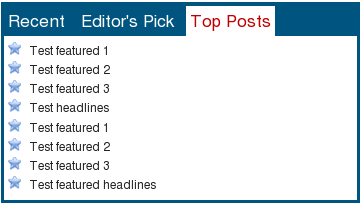
1. jQuery idTabs - comes with many styles

jQuery idTabs

Demo & Tutorial


2. Ajax Tabs Content Script

Ajax Tabs Content Script

Demo (3 examples) & Tutorial


7 jQuery Menus For Improving Your Website

Elastic Thumbnail Menu

Elastic Thumbnail Menu


Floating Menu

Floating Menu


Tab Navigation with Smooth Horizontal Sliding

Tab Navigation with Smooth Horizontal Sliding


10 Beautiful jQuery Menus w/ Tutorials

Hidden jQuery Drop Down Menu for Minimalist Design

Image and video hosting by TinyPic


A Different Top Navigation with jQuery

Image and video hosting by TinyPic

Demo | Tutorial


Create an apple style menu and improve it via jQuery

Image and video hosting by TinyPic

Demo | Tutorial


5 Beautiful, 3D-Style Blogger Templates

MAGASIN DIEZ

MAGASIN DIEZ blogger template

Download Now | Live Demo


I CAN WATCH MOVIES

I can watch movies

Download Now | Live Demo


jQuery Blogger II

JQuery Blogger II

Download Now | Live Demo


ImpreZZ

imprezz blogger template

Download Now | Live Demo


Zinepress

zinepress blogger theme

Download Now | Live Demo

You may also want to take a look at our list of the best 32 free Blogger templates

jQuery FontEffect: Create Font Effects Without Using Images

jquery fonteffect

FontEffect is a jQuery plugin that adds effects to HTML text, without using any images. In version 1.0 (which has only 7 kb), you can use 4 different text effects: edge (outline), shadow, gradient and reflection (mirror).


To use jQuery FontEffect, use the following code:


- Javascript / jQuery:
<script type="text/javascript" src="http://jqueryjs.googlecode.com/files/jquery-1.3.2.min.js"></script> <script type="text/javascript" src="http://path.to/jquery-FontEffect-1.0.0.min.js"></script>
Place the above code before the </head> tag in your template.

Obviously, replace http://path.to/jquery-FontEffect-1.0.0.min.js with the exact path to the jquery-FontEffect-1.0.0.min.js file. Also, if you already use jQuery, don't include the jQuery code twice.

-CSS:
#example{ font-family: Georgia,'Times New Roman', serif; font-size:3.0em; color:#ff0080; font-weight:bold; margin-bottom:10px;}
This can be placed in your .css file or if you use Blogger, before the ]]> tag in your template.

-HTML:

<div id="example">Web Upd8</div>

<script type="text/javascript">
$("#example").FontEffect({shadow:true});
</script>
The above html code will present the "Web Upd8" text using shadow effect. You can replace it for any of the other effects supported by this jQuery plugin.

It is an interesting jQuery plugin, ideal for dynamically generated headers (such as the title of the post). The best thing is that it works with most known browsers, including everyone's favorite: IE6. :)

More info, live demo & download

2 Bookmarklets For Finding Out What JavaScript A Webpage Uses

1. WTFramework - If you ever have visited a website and was like, “What… that is awesome! I wonder what JavaScript framework they used to developer that awesome website!?!” then this is the bookmarklet for you :) A small rectangle will show up in the upper-right corner of the page indicating if any of the following frameworks were used… (MooTools, Yahoo User Interface, jQuery, Scriptaculous, Dojo Toolkit, Mochikit, etc.)


jquery detector

2. jQuery Plugin Detector - Instead of digging through the View Source you can just click this bookmarklet to reveal a little window that reveals you all the jQuery plugins loaded for the current page. To save the bookmarklet simply drag the above link to your bookmarks toolbar. It’s been tested successfully in Opera 9, Safari 4, FF2/3, IE6/7, and Chrome. The list shown includes google links for each plugin; obviously not all plugins on all sites are available to the public so the links aren’t always very useful.

[via web dev .net]

Tabbed Menu Using jQuery [3 Styles]

In order to create our jQuery effects, you will first need the latest jQuery library, and jQuery UI with the ‘Core’ and ‘Tabs’ elements. If you’d prefer, you can take these files from this posts’s source files (see the bottom of the post).

Style 1:


Style 2:

photobucket

Demo

[Credits for style 2: Nettuts]


Style 3:

jquery menu


Download all 3 styles source code, including jQuery and jQuery UI customized.

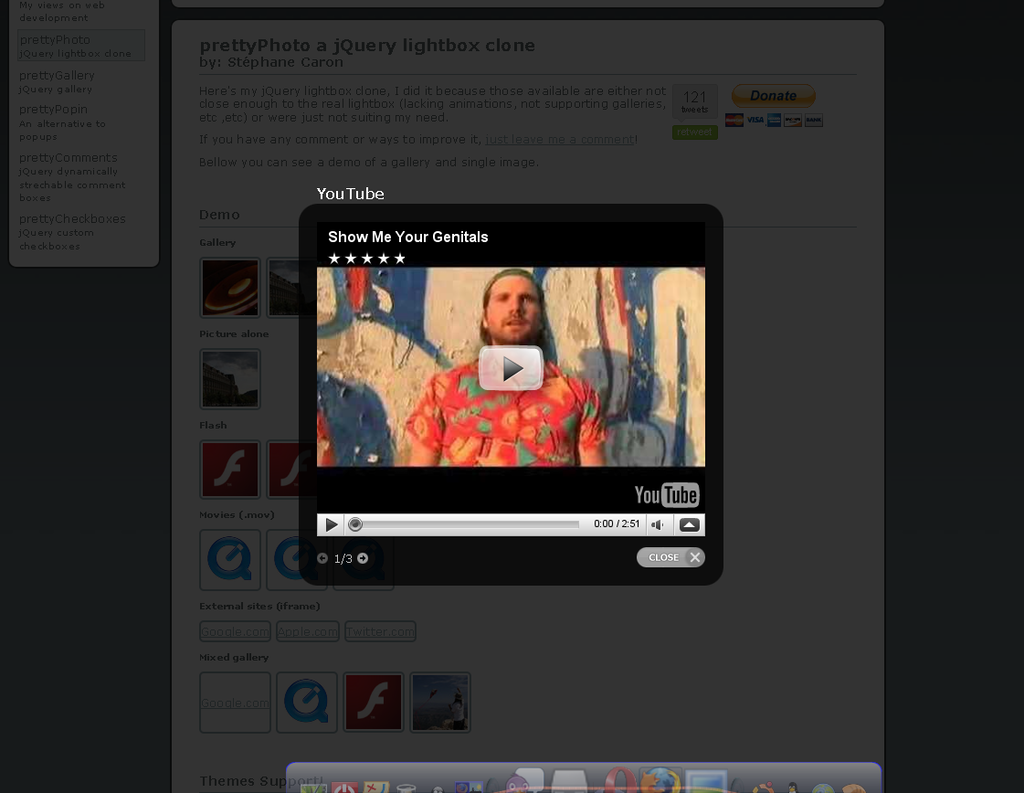
prettyPhoto jQuery Lightbox Clone Works with Photos, Flash and Even External Sites

prettyPhoto lightbox

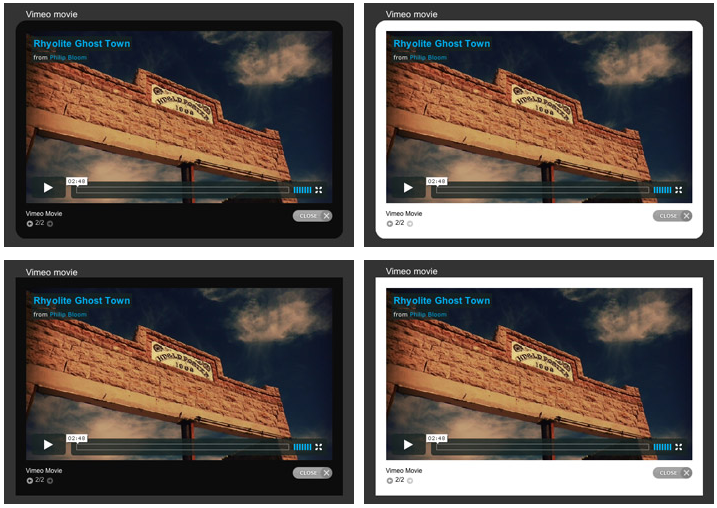
prettyPhoto is a jQuery lightbox clone which supports photos, photo albums, flash (including YouTube), .mov and even external sites. It also includes 4 themes:

prettyPhoto themes

This plugin has been tested and is known to work in the following browsers

  • Firefox 2.0+
  • Safari 3.1.1+
  • Opera 9+
  • Internet Explorer 6.0+