VirtualBox 3.0 brings OpenGL 2.0 support with hardware acceleration on supported hardware / drivers and support for SMP (Symmetric Multi-Processing) to guest operating systems. Also, there have been a lot of bugfixes and improvements. The VirtualBox change-log is available via their Wiki.
Archive for June 2009
VirtualBox 3.0 Released!
VirtualBox 3.0 brings OpenGL 2.0 support with hardware acceleration on supported hardware / drivers and support for SMP (Symmetric Multi-Processing) to guest operating systems. Also, there have been a lot of bugfixes and improvements. The VirtualBox change-log is available via their Wiki.
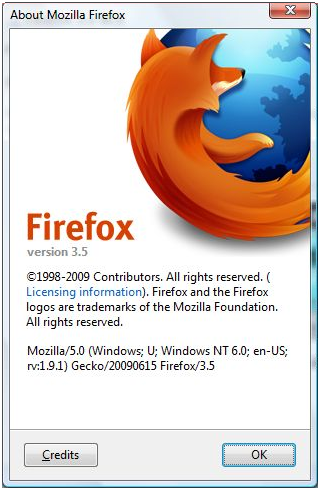
Live Firefox Download Stats
And a something for Web Upd8's readers which use Ubuntu: don't forget there is a repo with the latest Firefox 3.5.
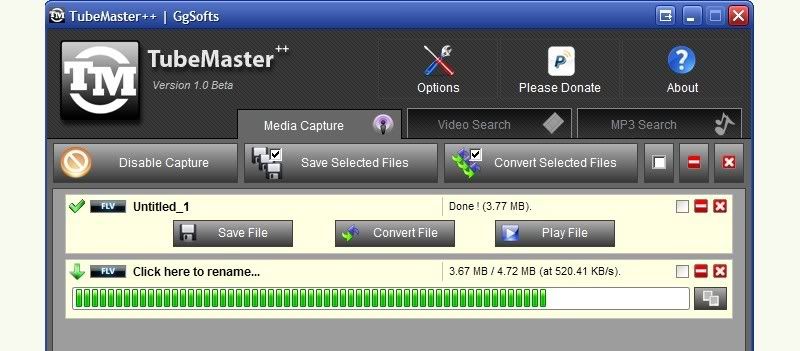
New TubeMaster++ Version Out (App Which Grabs Any Streaming Media From Your Browser)
Captured files can be saved directly on your computer or converted to other popular video or audio formats (using ffmpeg):
- audio formats into WAV, MP3, OGG, and AC3, among others.
- video can be converted into dozens of formats and presets for mobile devices including the Creative Zen, iPod, Blackberry, PSP and PS3, various mobile phone sizes, and more universal formats like AVI and MPEG4.
TubeMaster++ requires Java Runtime Environment and WinPcap (both of which are included in the installation if you don't have them.) and only works on Windows. But it seems a Linux and Mac version is on it's way:
TubeMaster++ is developed in JAVA language so it will be also available for operating systems such as Linux or MAC. Please be patient, i'm working on the Windows version, the multiplatform edition will come next...
Download TubeMaster++ 1.0beta | via lifehacker
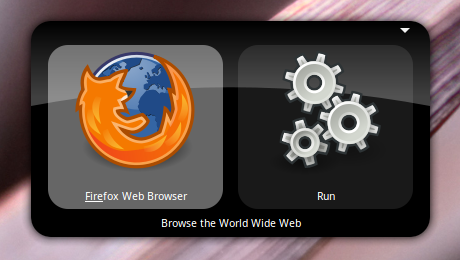
Gnome Do 0.8.2 Released [Linux]
New in Gnome Do 0.8.2:
- A thoroughly bugfix release, with added Docky polish. Docky now supports extensible "docklets", found in the gnome-do-docklets source package.
- Plugin handling has been made more robust - this should be the very last time that updating disables all your plugins!
Download Gnome Do 0.8.2 | If you installed the Gnome Do repository, the you should be soon prompted for an update.
Download Firefox 3.5 Final
Well, final until bug fix versions come out, such as Firefox 3.5.1, etc.
Mozilla FTP Link - Mac
As you can see, Firefox 3.5 final hasn't yet been released on the main Mozilla website, but it's been uploaded to the FTP servers so you can download it already. It will probably come out on its website later today.
Update: Firefox 3.5 is now available on it's official website.
Here is also a video with what's new in Firefox 3.5:
Share Files Through Gmail Without Uploading Anything to Your Account
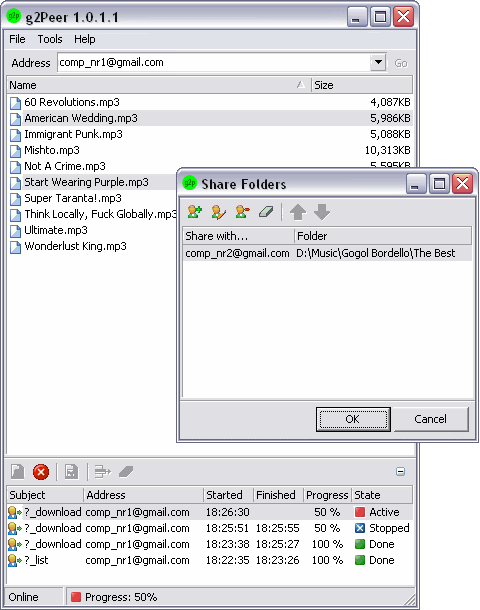
g2Peer is a new utility which allows you to share files on PC through Gmail without having to upload any file online or to your Gmail account. Gmail address is served as unique “IP address” of PC in g2Peer network.Once installed, you need to login with your Gmail account and use either POP3 or IMAP. After configuring your account, you can share files by adding the folders and users with whom you want to share files. You can do this by selecting Share under the tools menu.
Allowing someone to download your shared files can be done in 2 ways:
1. The other person needs to install this application and then simply enter your email address and all your shared folders will be displayed on the other person's computer. To download the files, simply right click and select 'download'.
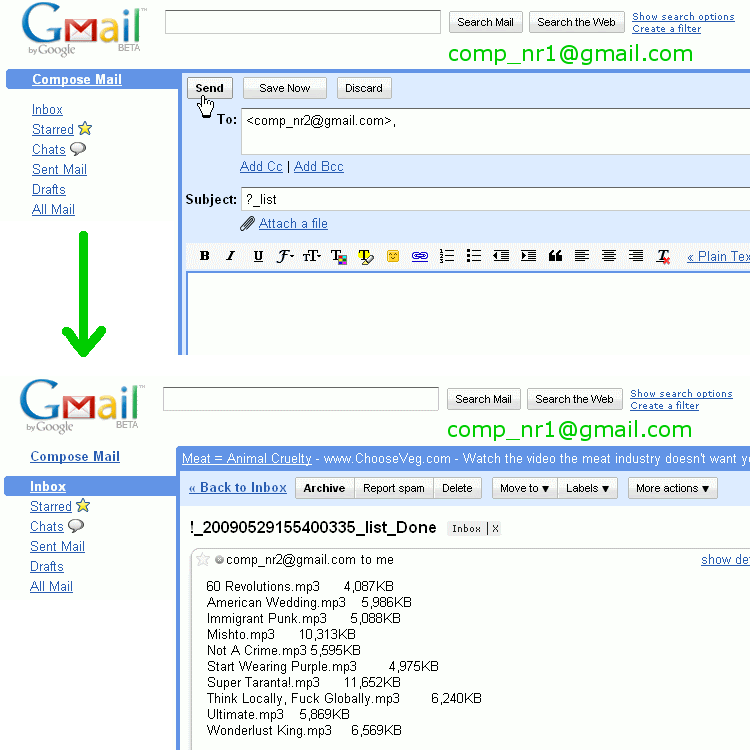
2. Through email commands. Only the person sharing the files needs to have g2Peer installed, and the person wanting to download the files can send commands through gmail, like in the screenshot below:
So all you have to do is email a command to the email address of the computer/person which shares the files and you will receive a replay with the output of your command.
It supports ?_list and ?_download commands - the first one for listing the shared files and the second one for downloading.
g2Peer runs on Windows 2000/XP/Vista.
Cross-Platform Screen Recording Tool: Krut
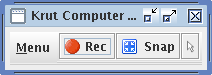
Krut requires no installation, and you can launch the application by simply running the KRUT.jar file.
Some additional features:
- Timer-controlled recording
- Moveable recording areas during recording
- Preview of ongoing recording
- Optional mouse pointer recording
- Record/Playback at 2 different frame rates
- Highly accurate audio-video synchronization
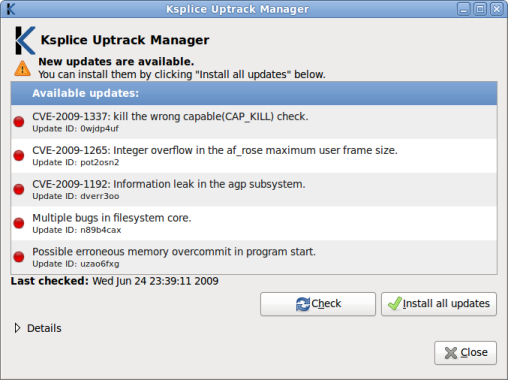
Ksplice Uptrack Lets You Install Updates Without Restarting Ubuntu
Download Ksplice Uptrack for Ubuntu | via phyx
Screen Capture Made Easy with Aviary - Now With Bookmarklet
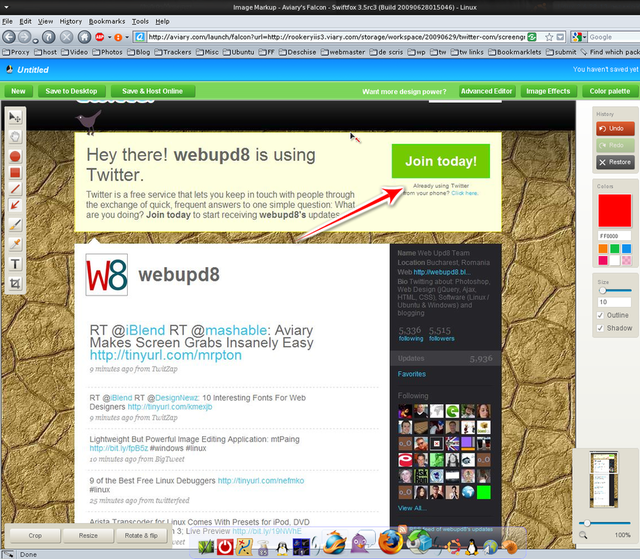
To get started, all you need to do is type in “aviary.com/” in front of the URL of the page you’d like to screenshot. From there, Aviary opens up its web-based image editor, where you can do things like crop, resize, and adjust the quality of the image, as well as use some of Aviary’s editing tools, like adding text, doodles, or arrows.
For easier use, this also comes with a bookmarklet which if clicked, it creates a screenshot of the page you're currently on and then takes you to the web-based image editor. To use the bookmarklet, simply drag this to your bookmarks toolbar: Screen Capture.
Once you’re satisfied with the image, all you need to do is either save it your desktop or save it online. From there, you can share it on the social sites of your choice, or do as us bloggers do and embed it in your blog posts.
This launch follows the release of Aviary’s Firefox plugin, Talon, which does essentially the same thing, but requires both Firefox and an install.
[via mashable.com]
Sound Muted After Restart in Ubuntu (Gnome) Fix
The first thing you need to do is set the sound to a level you want it to be saved and then restored. After that, run this in a terminal:
sudo alsactl storeThe above command saves your sound level but does not restore it after restarting. To restore it, you need to run the following command:sudo alsactl restoreTo have your sound restored after each system restart, edit the /etc/rc.local file and paste the above command right above "exit 0":gksu gedit /etc/rc.localAnd add alsactl restore there.Also, make it executable:
chmod +x /etc/rc.localAutomatically Change Your Windows Wallpaper with WallPapa
WallPapa works with Windows 2000, XP, 2003, Vista and the new Windows 7 and it only requires 2,5 mb of disk space.
Arista Transcoder for Linux Comes With Presets for iPod, DVD Player, PSP, Playstation 3; Live Preview
But that's not all what Arista Transcoder can do, here are some other features:
- Automatically discover available DVD media and Video 4 Linux (v4l) devices
- Rip straight from DVD media easily (requires libdvdcss)
- Rip straight from v4l devices
- Simple terminal client for scripting
- Automatic preset updating
Screenshots
| | |
To install Arista Transcoder in Ubuntu 9.04, add the following repository:
sudo sh -c "echo 'deb http://ppa.launchpad.net/danielgtaylor/ppa/ubuntu jaunty main' >> /etc/apt/sources.list"Then install the key:
sudo apt-key adv --keyserver keyserver.ubuntu.com --recv-keys A1B03D01And finally install Arista:
sudo apt-get update && sudo apt-get install aristaOther Linux distributions:
- Arch Linux users can find PKGBUILDS in the AUR
- Everyone else, see the README file in the download tarball
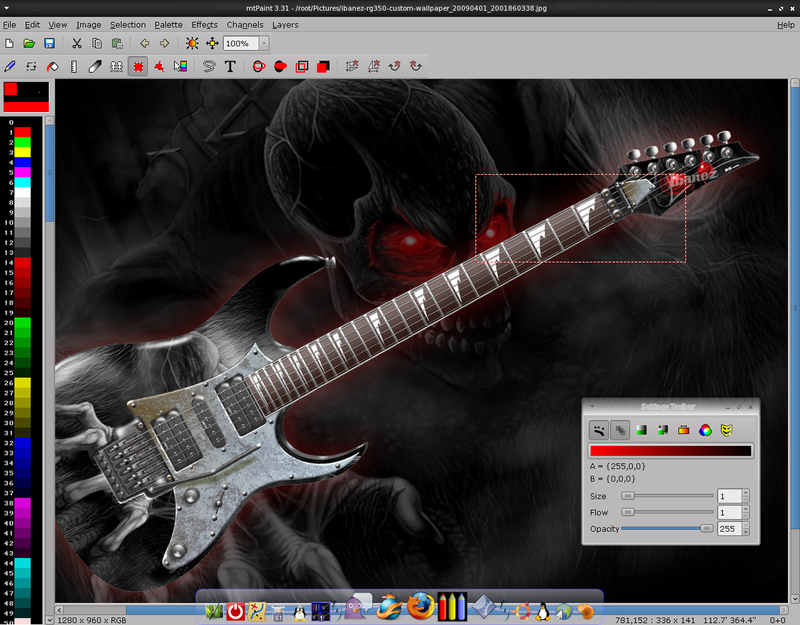
Lightweight But Powerful Image Editing Application: mtPaint [Windows & Linux]
- Quickly transform image gamma, brightness, contrast, saturation, hue, posterize from a single dialog, and preview the results in real time.
- Apply various effects such as invert, greyscale, isometric transformations, edge detect, sharpen, unsharp mask, soften, Gaussian blur, emboss, bacteria.
- Use gamma correction on effects to improve the quality of various effects.
- Crop at the touch of a button.
- Resize the canvas.
- Rescale the canvas, enlarging or reducing, using several filter methods.
- Tools to shuffle pixels, flood fill, draw straight lines, smudge, clone, paste text, draw/fill rectangle/ellipses.
- And many others.
This image editing application isn't an advance tool, but it's not a basic one either, so you might really enjoy it.
mtPaing runs on Windows and Linux. It even comes with pre-build .deb packages for Ubuntu.
Download mtPaing
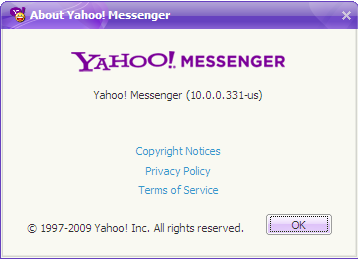
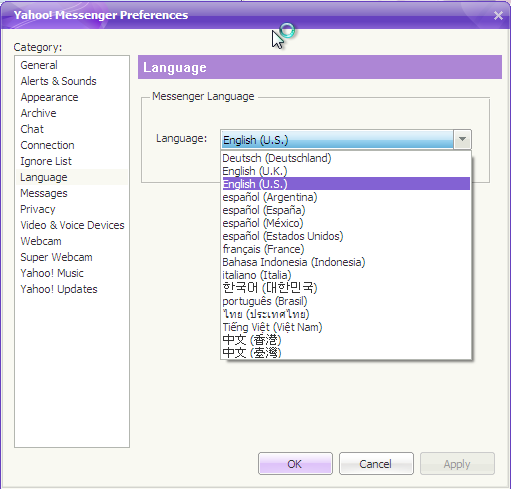
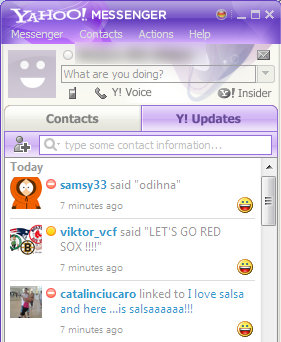
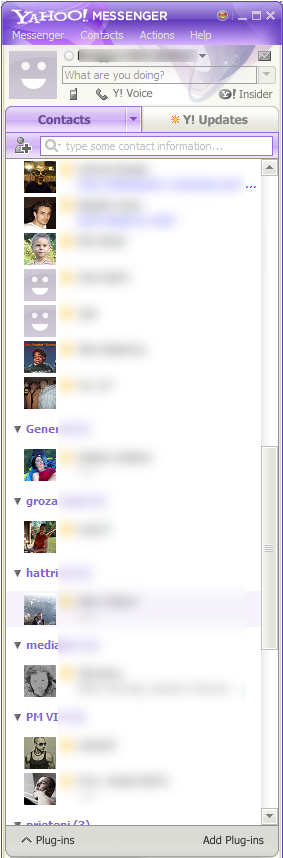
Download Yahoo! Messenger 10
-There are now 2 tabs in the main window: one for contacts and one for Y! Updates:
![]() | ![]() |
I've been using it on Windows 7 and although it says it's an pre-alpha version, I did not encounter any errors so far.
Download Yahoo Messenger 10 pre-alpha: Alternate link 1 | Alternate link 2
[via news it&c]
Last Week's Top Posts (Week 26, 2009)
- 25 Great-Looking Compiz Emerald Themes
- 16 "top"-Like Linux Apps / Commands
- Tweetboard Is Like a Microforum For Your Blog / Website
- Download Inkscape 0.47 Pre-Release
- Make Gimp Panels Auto Hide in Gnome
- Find Out What Applications Use The Most Network Bandwidth with iftop
- Browse Files in Linux Based On the Last Access Time
- Gimp Save for Web Plugin
- VirtualBox 3.0 Beta 2 Comes One Week After Beta 1
- 30 Web 2.0 Gimp Gradients
Enable Surround Sound in Ubuntu Linux (PulseAudio) [How To]
Here is how to enable more than 2 speakers (channels) in Ubuntu - PulseAudio:
1. Edit the PulseAudio daemon.conf file by pressing Alt + F2 and enter:
gksu gedit /etc/pulse/daemon.confAnd search for: default-sample-channels. Remove ";" from the begining of the line, and instead of "= 2", change it to the number of speakers your system has. For instance if you have a 5.1 system, the number should be 6, for a 7.1 system: 8 and so on.This is how that line used to look before you made any changes:
; default-sample-channels = 2And this is how it's supposed to look after:default-sample-channels = 62. Now you can save the changes and either restart your computer or:
killall pulseaudio && pulseaudio3. Check to see if the channels are muted. Open a terminal and type
alsamixer4. You can now test the channels by typing this in a terminal:
speaker-test -c 6Again, replace the number with your number of speakers.Mozilla Labs Weave Sync Addon Updated to Version 0.4.0
Weave Sync is a prototype Firefox extenstion by Mozilla Labs that encrypts and securely synchronizes the Firefox experience across multiple browsers, so that your desktop, laptop, and mobile phone can all work together.Weave Sync currently supports continuous synchronization of your bookmarks, browsing history, saved passwords and tabs:
* Get the same results on the Smart Location Bar on each of your Firefox browsers, so you can get to your favorite sites with just a few keystrokes
* Continue what you were doing: have the ability to open any tab you have open on any of your Firefox browsers
* Keep the same list of bookmarks on all of your Firefox browsers
* Easily sign in to all your favorite sites using your saved passwords (this is especially handy on mobile phones, where it’s hard to type in complex passwords)
* Do it all securely: Weave Sync encrypts user data before uploading it to Mozilla’s servers, so that only you can access your data
New in version 0.4.0:
- Improved start-up and new window performance
- Preference syncing (including Personas)
- Identity Support: Auto-login (including OpenID)
- Better support for add-ons using Weave
- Support for current versions of Fennec for Maemo devices
Google Increased the Maximum Attachment Size for Gmail to 25 MB
For some reason, Gmail's Flash uploader doesn't allow me to upload files that are larger than 10 MB. The error message is "attachment failed" and Google's suggestions aren't very helpful. Switching to the basic uploader in the settings solves the problem, but it's more tedious to upload multiple files.
[via googlesystem]
Firefox 3.5 Coming Out on Tuesday / Fennec Updated
Webmonkey and Betanews are both reporting that Mozilla has confirmed that June 30 will be the date it will push out the full version of Firefox 3.5. The latest version of the popular web browser has been available for testing for months, but by removing the beta and/or RC label, Mozilla is essentially saying that the browser is ready for the public to use without fear of encountering major bugs of security flaws. You know, until some major bug of security flaw is discovered and Mozilla pushes out Firefox 3.5.1.In related news, Mozilla's released an update to the mobile version of Firefox today. Fennec Beta 2 for Nokia Internet Tablets and Alpha 2 for Windows Mobile was released today. The latest version of Fennec includes performance tweaks and a new theme.
How To Manually Set Up Your Wired Internet Connection in K / Ubuntu without Network-Manager
1. The first thing we need to do is remove the network-manager:
-for Ubuntu:
sudo apt-get remove network-manager-gnome network-manager-for Kubuntu:sudo apt-get remove network-manager-kde network-manager2. Now, type this in a terminal:
ifconfigto see your active interfaces. Hopefully you will see at least eth0 and lo listed. If not, you need to get eth0 working, and that is beyond the scope of this howto.3. The next step is to manually set up the /etc/network/interfaces file. Open it by typing the following command in a terminal:
-for Ubuntu:
gksu gedit /etc/network/interfaces-for Kubuntu:kdesu kate /etc/network/interfacesA. For a static IP, the file needs to look like this:
auto lo
iface lo inet loopback
auto eth0
iface eth0 inet static
address 192.168.1.10
netmask 255.255.255.0
gateway 192.168.0.1Obviously, change eth0, address and gateway to your values.For a static IP, before you get connected we need to tell your computer where to find the domain name servers (DNS). That is the function of the /etc/resolv.conf file so you need to edit this file. If it doesn't exist, create it.
-For Ubuntu:
gksu gedit /etc/resolv.conf-For Kubuntu:kdesu kate /etc/resolv.confAnd enter your domain name servers (DNS) like this:
nameserver 208.67.222.222
nameserver 208.67.220.220Obviously, replace the above values with your DNS values.Please note that you can have up to three nameservers listed in resolv.conf
B. Using DHCP
auto lo
iface lo inet loopback
auto eth0
iface eth0 inet dhcpC. For a PPPOE connection:
auto lo
iface lo inet loopback
auto eth0
iface eth0 inet manual
auto dsl-provider
iface dsl-provider inet ppp
pre-up /sbin/ifconfig eth0 up # line maintained by pppoeconf
provider dsl-providerAnd then run pppoeconf in a terminal, click ok to everything, enter username and password, etc.
4. Now let's test and see if everything worked ok:
sudo /etc/init.d/networking restartPlease feel free to point out any mistakes or other helpful hints.
Tweetboard Is Like a Microforum For Your Blog / Website
How it works
Tweetboard sits in a small tab which indicates the number of tweets since a visitor's last visit to your website and if clicked, a slide will open with all the threaded tweets from your Twitter stream.
Tweetboard signup is currently invite-only, but @140ware, the company which runs Tweetboard is automatically approving invites if you request one on Twitter, in this form: “Requesting an invite for Tweetboard Alpha (http://tweetboard.com) by @140ware, for my site: http://ReplaceWithYourURL.com.”
[via mashable.com]
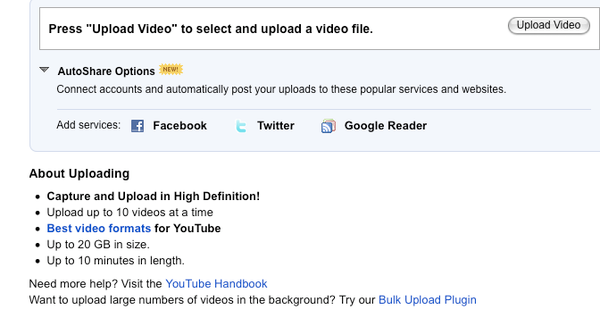
YouTube Doubles the Maximum File Size for Uploads
In any event, even just increasing to 2GB should make it significantly easier for video publishers to get their longer, HD videos onto the site.
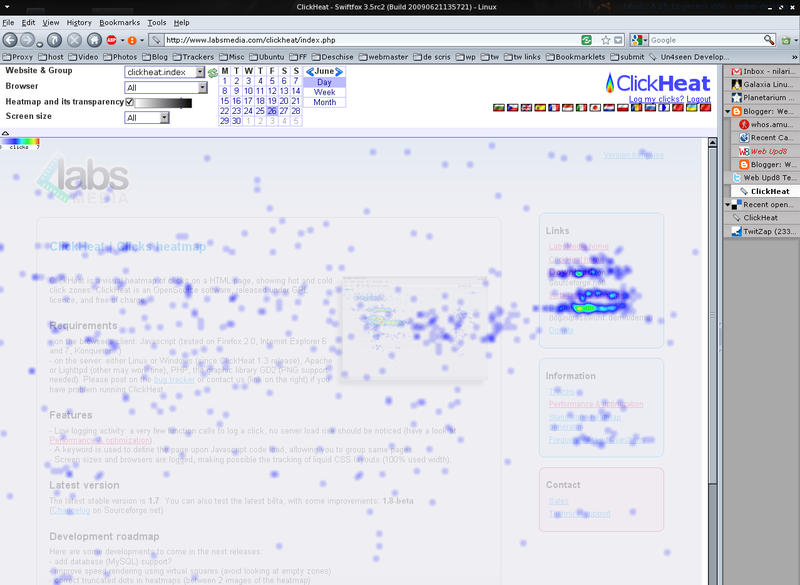
ClickHeat: Free Click Heat Map for Your Website
Requirements
- on the server: either Linux or Windows (since ClickHeat 1.3 release), Apache or Lighttpd (other may work fine), PHP, the graphic library GD2 (PNG support needed)
Step by step instructions on how to install and set up ClickHeat:
1. Download ClickHeat
2. Extract the contents and upload the clickheat folder to a webserver that meets the requirements (see above).
3. Go to http://your-host.com/clickheat/index.php, where "your-host.com" is the host where you uploaded the clickheat directory and /clickheat/index assumes you uploaded the clickheat folder into the root directory.
4. When prompted to configure ClickHeat, leave everything 'as is' (if you don't know what each option does) except the "Domain names (separated by commas) allowed to log clicks on this server" field where you must enter the domain name for the website which you plan on using ClickHeat on, then input an username and password and click "Check configuration", then "Save configuration".
5. Go to http://your-host.com/clickheat/index.php and click "Javascript", enter a name for your website and check one of these:
-use a keyword: if you want all the clicks to be tracked as a single page
-use webpage's title: to create logs for each page (and view them separately) based on the page title
-use webpage's URL: to create logs for each page (and view them separately) based on the page url
6. Copy the Javascript code from step 5 into your website's template/source code.
Now all you have to do is visit http://your-host.com/clickheat/index.php and you will see where everyone clicks, using a color heat map.
You can see a demo on how this works by going to this page and entering: username: demo, password: demo.
16 "top"-Like Linux Apps / Commands
htop - Undoubtedly the most famous of the top-like tools. It implements some extra options to the "top" command, like colors, ability to scroll horizontally and vertically, and a better interaction with the processes listed.
itop - Monitors the system breaks.
atop - Monitor for system resources. Displays swap, network, disk, cpu, activity, among other processes.
sntop - Pings a list of hosts and indicates whether they are active or inactive. Must be configured in /etc/sntoprc.
mtop, mytop - tools that monitor the performance and queries of a mysql database.
apachetop - Displays information about Apache, such as requests per second, bytes per second and the most popular URLs.
ptop - Similar to mtop, but specific to postgres.
dnstop - Displays information about the network's DNS traffic.
virt-top - Displays details of virtualised systems: cpu, memory, uptime. You can monitor any system based on libvirt virtualisation such as Xen and KVM.
iptstate - Displays information about connections which pass through your firewall / gateway. It is basically a netstat that monitors the connections handled by iptables. Depends on module CONNTRACK.
ntop, jnettop - Displays information on the network bandwidth, each with its peculiarity - From the same class as previously mentioned iftop.
nethogs - network information, but instead of displaying the traffic by protocol, nethogs shows the bandwidth usage by process. Very interesting.
You can find all of these in Ubuntu 9.04, by searching using Synaptic Package Manager.
How to Post to Twitter From Google Reader with A Single Click
1. You need a TwitterFeed account (free).
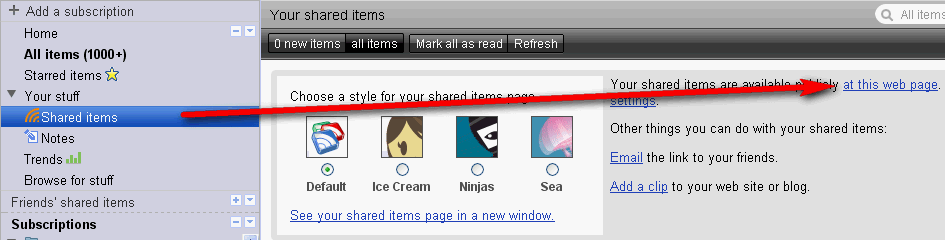
2. Go to Google Reader and expand "All Items", then click on "Shared Items" and you will see your shared items feed under "Your shared items are available publicly at this web page":
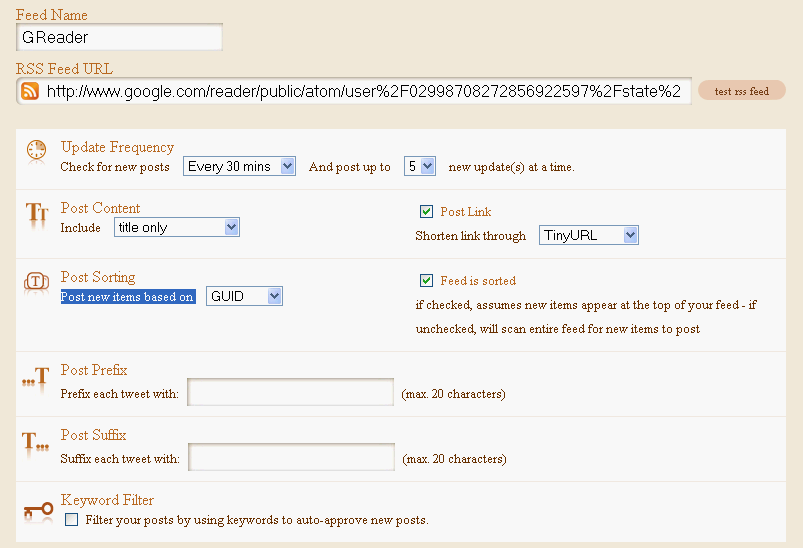
3. Sign in to TwitterFeed, click "Create new feed" to add a new feed to be published to your Twitter stream. Firstly, click: "Connect your feed to your Twitter Account", then copy the RSS feed from Google Reader (step 2) into the "RSS Feed URL" field and enter the rest of the advanced options as you wish, except "Post new items based on" which needs to be set on "GUID", like so:
That's it. Now whenever you click on the "Share" button in Google Reader, those posts will be displayed in your Twitter stream (with a delay, according to your TwitterFeed settings).
Make GIMP Use Adobe Photoshop Plugins
To install it, copy the entire contents of PSPI into the GIMP Plug-ins folder (if you’re running Linux, make sure you copy both the PSPI plug-in and the PSPI.exe, or it will not work) and restart The GIMP, then open the Filters menu and you will see a new entry called "Photopshop Filters Plug-In Settings". Select this option and then use the dialog box to navigate to the folder where your Photoshop plug-ins are located. Also, make sure you store all future Photoshop plugins into this folder.
How to install Plugins, Brushes, etc. in GIMP:
You’ll find three different folders in the application’s program folder. The location of the application folder depends on the operating system you use:
- Windows: the folder is located in C:/Programs/GIMP.
- Mac: right-click and choose the application folder.
- Linux: press Ctrl+H in the Home folder to reveal the hidden .gimp folder.
Share Local Folders in Linux via Web with Meiga
For now, this application is only available for Debian based distributions (like Debian, Ubuntu and Mint). But obviously, to use it on another Linux distro, you can compile the source files on your computer.
Screenshots:

Download Meiga:
- Git repository:
git clone http://git.igalia.com/meiga.git - Ubuntu Hardy: meiga_0.2.0-1_i386.deb
- Ubuntu Intrepid: meiga_0.2.0-1_i386.deb
- Ubuntu Jaunty: meiga_0.2.0-1_i386.deb
VirtualBox 3.0 Beta 2 Comes One Week After Beta 1
Changes since VirtualBox 3.0 Beta 1:
- High CPU usage with certain idle Windows guests (e.g. XP SP2)
- Performance improvements for SMP guests
- Reset issues with SMP guests
- Windows 7 x64 boot problems with SMP
- Windows 7 shutdown hangs with SMP
- Hanging VM when unmounting an ISO with SMP guests
- Several OpenGL & Direct3D related fixes
More details about the release can be found in the forum release announcement. VirtualBox 3.0 Beta 2 is available to download for Windows, Mac OS X, Linux, Solaris and OpenSolaris and is released under the GNU General Public License version 2 (GPLv2).
GoblinX Mini Edition 3.0 Released
This g:Mini edition includes the lastest Xfce 4.6 which brought several improvements and new features. Xfce-session now offers hibernate and suspend options. It has a new notification system with themes managed by Xfce-notifyd. Xfce-power-manager to help laptop users set up a power profile for two different modes “on battery power” and “on ac power”. Gigolo to manage connections to remote filesystems using GIO/GVFS. A better Control Center and more. Below there is a list with the most important changes since the latest release candidate rc01.
Another major change is the release of different images, one full distribution without remove any files including all locales (internationalization files), and a second customized image only with default english language and without man pages, documentation, headers (.h), some themes and files.
Changelog:
- Upgraded several packages and libraries.
- Fixed some errors and bugs.
- Added Ucview, a video image capture application.
- Changed the panel clock to display date and time.
- Added few more changes to the Xfce panel to improve usability.
- Added new bootsplash theme and new 800×600 theme for small displays.
- Added support for xz packages, new Slackware package format.
- Added a script and interface to help everyone install Adobe’s Flash Player.
- And more few changes.
Errors & Mistakes:
- Hal troubles. Hal is not designed to work with root account. If you are using G:Mini logged as root, stop the Thunar Volman or HAL to avoid errors.
- Install does not start. The installer script is /usr/bin/gtki.sh. It first try mounts your partitions, this can be slow and even not work propertly. You can start the installer using a terminal, just type: sudo /usr/bin/gtkHDInstall. Or try use the installer as root. You need to have already formatted and partitioned your harddisk.
- http://ftp.cc.uoc.gr/mirrors/linux/goblinx/GoblinX-3.0/
- http://www.uoc.lkams.kernel.org/pub/dist/goblinx/GoblinX-3.0/
- http://ftp.sh.cvut.cz/MIRRORS/goblinx/GoblinX-3.0/
Firefox 3.5 RC3 Available for Download
“A new version of the Firefox 3.5 Release Candidate is now available for download, containing fixes based on the feedback obtained from the previous release candidate. This updated milestone is focused on providing a preview of the functionality provided by the new features and changes that will be included in Firefox 3.5,” revealed Mike Beltzner, Director of Firefox at Mozilla.
If you already have Firefox 3.5 RC1 or RC2 install, all you have to do is go to Help > Check for Updates, and you will be able to update Firefox to RC3.
Download Firefox 3.5 RC3 for: Windows, Mac and Linux
For Ubuntu, Firefox 3.5 has been updated to RC3 in this repository.
New, Improved Digsby (Multi-Protocol IM Client) Coming Today
- Performance: Digsby optimized performance from the ground up, reducing overall CPU usage by about 50%
- Buddy List Search: Press Ctrl+F to easily search your buddy list or the web
- Emoticons: Added four new emoticon packs to choose from
- File Transfers: Improved the reliability of AIM, ICQ, and MSN file transfers
- Over 100 other bug fixes and enhancements.
Thumbnails For Unsupported Formats [Windows]
According to the documentation on the Thumbview site, it's light on system resources and only springs into action when rendering a new batch of thumbnails.
Compatibility: Windows XP/2003/2000; (may or may not work on Windows Vista, according to the developer’s site).
[via lifehacker & freeware genius]
Change Gnome Calendar Week Start Day to Monday [How to]
So here is the only way to change this and make it persistent:
Open the following file:
gksu gedit /etc/default/localeAnd change it's content to this:LANG="en_US.UTF-8"
LC_TIME="en_GB.UTF-8"
LC_PAPER="en_GB.UTF-8"
LC_MEASUREMENT="en_GB.UTF-8"This sets the software messages in English (US), but time, paper size and units in British i.e. weeks starting with Mondays, A4, metric.Now all you have to do is restart your computer.
Boxee Media Center Alpha Preview for Windows
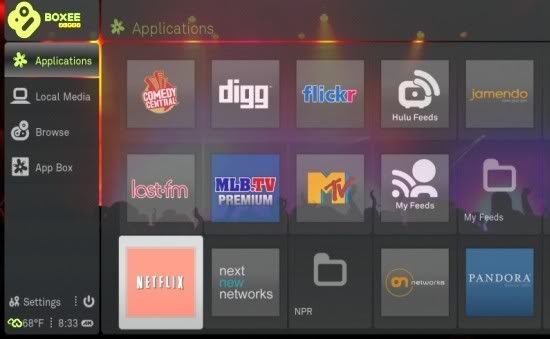
Boxee provides you with a full screen browser designed for managing and accessing internet media as well as audio and video stored on your hard drive. Over the past few weeks, Boxee has gained a ton of features through a new "App Store" which allows third party developers to create plugins for the media center.
In addition to launching a public Windows Alpha, Boxee also announced last night a new partnership with MLB.com to offer live and recorded Major League Baseball games through Boxee. Boxee has also added support for Digg, Current.tv and Tumblr.
Nokia OVI Suite 2.0 Beta now available
Today Nokia released a new beta version (v2.0) of Nokia OVI Suite PC application. Check out the video and if you find it interesting, give it a try. I believe it's worth it. To download it, go here
Amazing Lightweight Portable Audio Player: XMPlay
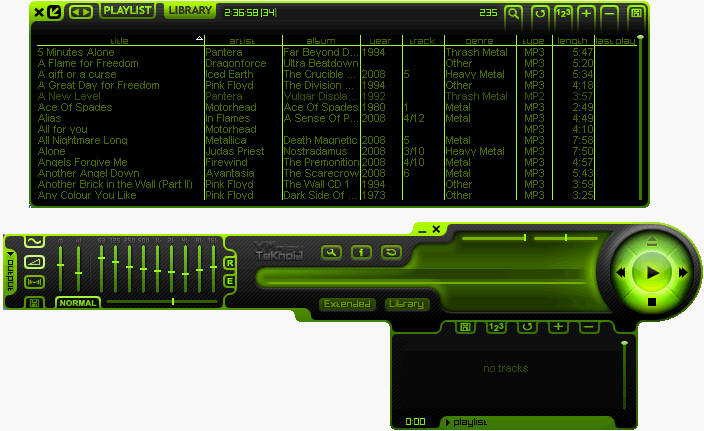
I've been playing with XMPlay for a couple of hours and so far I can tell you it's an amazing music application. To add some music, simply drag the folders into it. You can assign global shortcuts so you can change the current playing track / volume using the keyboard, etc. and it also comes with a built-in DSP which sounds great.
Aother great thing about XMPlay it's the plugins, for instance there are plugins which allow you to play files directly from 7 zip, rar, zip, etc archives, without extracting them. You can find the whole list of plugins, here.
Just try it out and you'll se how great this music player really is ;)
[thanks to tinhed for pointing this out]
Twitter Widget for Opera
Twitter widget for Opera allows you to perform operations like view recent messages, view replies, view direct messages, browse archives, search, find people near you and so on, in addition to that it also has a inbuilt mechanism to shorten URLs you want to share.
In addition to that you can also reply to message, send a DM message to someone and retweet (RT) your friends tweets. Definitely worth using if you are a Opera user.
SmarterFox Helps You Browse Faster by Speeding Up Common Tasks
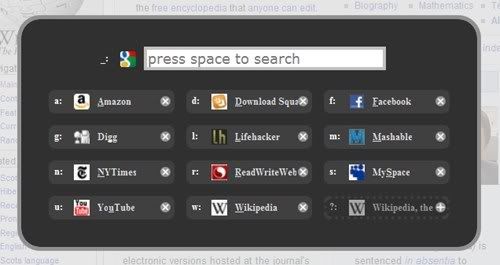
Once installed, the extension adds a ton of new functionality—each piece of which can be toggled on or off in the preferences dialog—such as the quick launcher dialog, triggered by default with a familiar Ctrl+Space shortcut key combination.
Other features include showing Google results directly in the Awesome Bar, converting text links into clickable links, search bubbles that appear when you highlight text, automatically copying text to the clipboard and so on.
All of the functionality can be toggled on or off in the preferences panel—a great feature that more extensions should provide.
25 Great-Looking Compiz Emerald Themes
If you don't know what Emerald is and how to install these themes, see here.

2. Radial

3. Obsidian Glass for Ubuntu Studio

4. miNGue - minimal glass

5. Smarald Updated

6. Glass-Vista

7. Gaia

8. Monochrome Glass

9. Black frame

10. Overglass

11. Icy Heart

12. Gabriel

13. Wow

14. The Red Robot

15. Radial Centered

16. Marenostrum

17. PrysmaX

18. Professional

19. Aero Emerald

20. Aero-G Style

21. Die Hard 4.0

22. H-K Suite

23. Dust Fine Redux

24. Glassbuntu

25. Lucidity