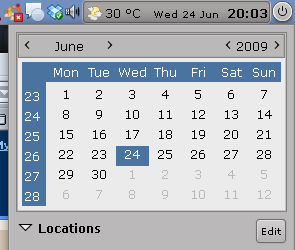
To integrate Google Calendar events into your Gnome desktop, go to
Google Calendar, click on "
Settings", then on the "
Calendars" tab and then on your calendar's name:
Now all you have to do is open a terminal and paste this:
/usr/lib/evolution-webcal/evolution-webcal URL
replacing URL with your ICAL private
URL you got in the step above.
A window will pop up and here is where you can make the update frequency settings (I set mine to update every 30 minutes).
This is how your Google Calendar tasks, appointments, etc will show up in Gnome Calendar:
Please note: evolution-webcal may be in different folders in different distros. (For example in SuSe, it’s in /opt/gnome/lib/evolution-webcal/evolution-webcal). If the above code doesn’t work for you, you can locate evolution-webcal using:
find / -name evolution-webcal
[via
paraisolinux]