Ubuntu / Linux news and application reviews.

5 Very Useful OpenOffice Extensions

Calc2LaTeX is an OpenOffice.org Calc (Spreadsheet) macro for converting tables. It makes making tables on LaTeX very easy.

This extension will allow you to select a region in a spreadsheet, and generate a LaTeX tabular format of the spreadsheet.

Sun PDF Import Extension allows you to import and modify PDF documents. Best results with 100% layout accuracy can be achieved with the "PDF/ODF hybrid file" format, which this extension also enables. A hybrid PDF/ODF file is a PDF file that contains an embedded ODF source file. Hybrid PDF/ODF files will be opened in OpenOffice.org as an ODF file without any layout changes. Users without this extension can open the PDF part of the hybrid file with their PDF viewer.

Cross-Platform Data Recovery Solution: TestDisk & PhotoRec

TestDisk & PhotoRec


If for any reason, you have lost information of any of your disks: either hard drives, memory cards or flash drives, you should try TestDisk & PhotoRec, a free, open source multi-platform application distributed under GNU Public License which is very efficient on retrieving data from those drives.

PhotoRec supports data recovery for the following filesystems:

* FAT,
* NTFS,
* EXT2/EXT3 filesystem
* HFS+


You can download PhotoRec and TestDisk from HERE (packages available for: Windows (9x/NT/XP/2000/2003/Vista), Mac OSX, and Linux).

Ubuntu users just have to run the following command in a terminal:
sudo apt-get install testdisk

The, to run it (still in a terminal):
sudo photorec

PhotoRec works with HardDisks, Cdrom, memory card (Compact Flash, Memory Stick, SecureDigital/SD, SmartMedia, Microdrive, MMC...), USB Memory Drives, DD raw image, EnCase E01 image, and also various portable media players including iPod and various digital cameras.

JDownloaded 0.7 (7.569) Released

jdownloader 0.7 (7.569)

JDownloader, the open source, platform independent Rapidshare, Megaupload (and others) download application, has been updated to version 0.7 (7.569).

JDownloader simplifies downloading files from One-Click-Hosters like Rapidshare.com or Megaupload.com - not only for users with a premium account but also for users who don't pay. It offers downloading in multiple paralell streams, captcha recognition, automatical file extraction and much more. Of course, JDownloader is absolutely free of charge. Additionally, many "link encryption" sites are supported - so you just paste the "encrypted" links and JD does the rest.


The most important, noticeable change is that JDownloader 0.7 (7.569) is a lot faster than the previous versions. Another interesting change is that now it supports anti-captcha for more than 60 websites. Read on to see a list of other important changes.

What's New in 0.7

  • After lots of complains about performance we redesigned the gui to be much faster.
  • Better Browser integration - The famous Firefox Extension Flashgot now supports JDownloader and is bundled together with it.
  • New, and most important, faster themes. Install Substance Themepack to get more Style and Themes.
  • Updated JDChat, Scheduler, LanguageFileEditor.
  • You can now continue downloading while updating.
  • The new External Interface provides an API for Websites to interact with JDownloader.
  • More supported Hosters and Decrypter than ever before.

[thanks Adrian for the tip]

Avidemux Version 2.5.1 Was Released - Fixes A Lot of Bugs

Version 2.5.1 of Avidemux was released, a free video editor designed for simple cutting, filtering and encoding tasks. I've been having some problems with version 2.5.0 and as you can see from these comments, I wasn't the only one experiencing this.

2.5.1 release changes and fixes:

* Re-enabled several video and audio encoders (regression introduced in 2.5.0)
* Updated the FFmpeg libraries
* More video encoders are now plugins
* DV video encoder now supports more profile
* Fixed loading and saving issues with LAME, x264 and Xvid options (regression introduced in 2.5.0)
* Removed support for libamrnb and replaced with opencore-amrnb
* Removed support for libdca and replaced with libavcodec's DCA decoder
* AMR-WB audio decoding support using opencore-amrwb
* Fraps video decoding support
* Lowpass-5 mode added to libavcodec deinterlacer filter plugin
* Fixed formatting of parameters for various filters on 64-bit platforms
* Updated libass
* Fixed sizing of the bitrate control on various video encoder configure windows (regression introduced in 2.5.0)
* Improved filter dialog for GTK+ interface
* New navigation icons for GTK+ interface
* Fixed the behaviour of several GTK+ open/save dialogs (regression introduced in 2.5.0)
* asharp filter's Block Adaptive mode can now be disabled using the Qt interface
* Re-enabled the colour chooser dialog using the Qt interface (regression introduced in 2.5.0)
* GCC 4.4 support
* Fixed issues with CMake build scripts when using multiple make jobs (regression introduced in 2.5.0)


Download Avidemux 2.5.1:

- .deb (Ubuntu) - altough I recommend you add the GetDeb.net repository
- .exe (Windows) from Berlios.de or SourceForge
- .tar.gz (Linux source): from Berlios.de or SourceForge

VDrift, TORCS, SuperTuxKart: 3 Free, Open Source, Cross-Platform Car Racing Games

VDrift, TORCS and SuperTuxKart are 3 free, open source car racing games which run on Windows, Linux and MacOSX. Read on for more info...

VDrift


VDrift game

VDrift is a driving simulation game, made with drift racing in mind. The driving physics engine was recently re-written from scratch but was inspired and owes much to the Vamos physics engine. It is released under the GNU General Public License (GPL) v2. It is currently available for Linux, FreeBSD, Mac OS X and Windows.

Even tough VDrift is still in it's early stages of development, it's already playable. Features
  • Simulation-grade driving physics
  • Tracks based on famous real-world tracks
  • Cars based on real-world vehicles
  • Competition against AI players
  • Mouse/joystick/gamepad/wheel/keyboard support
  • More...


TORCS


TORCS The Open Racing Car Simulator

TORCS, The Open Racing Car Simulator, is a highly portable multi platform car racing simulation. It is used as ordinary car racing game, as AI racing game and as research platform. It runs on Linux (x86, AMD64 and PPC), FreeBSD, MacOSX and Windows. The source code of TORCS is licensed under the GPL ("Open Source").

Also, there are various sites on the Internet dedicated to TORCS with additional content (such as cars, tracks, documentation, patches, etc.), which I am sure you will find interesting once you start playing.

TORCS allows you to drive in races against opponents simulated by the computer and to develop your own computer-controlled driver and features more than 50 different cars, more than 20 tracks, and 50 opponents to race against. Your can steer with a joystick or steering wheel, if the device is supported by your platform. It is also possible to drive with the mouse or the keyboard. Graphic features lighting, smoke, skidmarks and glowing brake disks. The simulation features a simple damage model, collisions, tire and wheel properties (springs, dampers, stiffness, ...), aerodynamics (ground effect, spoilers, ...) and much more. The gameplay allows different types of races from the simple practice session up to the championship. Enjoy racing against your friends in the split screen mode with up to four human players.

Download TORCS


Super TuxKart


Super TuxKart

SuperTuxKart is a free 3d kart racing game you should play if you want to have fun more than you want a realistic, car racing simulation game. It runs on Linux, Windows and MacOSX and you can play it with up to 4 friends on one PC, racing against each other or just try to beat the computer. (a network multiplayer feature is under development).

This describes the game best:

See the great lighthouse or drive through the sand and visit the pyramids. Race under water or in space, watching the stars passing by. Have some rest under the palms on the beach (watching the other karts overtaking you :) ). But don't fall into the volcano.


You can do a single race against other karts, compete in one of several Grand Prix, or try to beat the high score in time trials on your own.

Download Super TuxKart

Songbird 1.2 Released!

Songbird 1.2 was released today and it focuses on improving library management and provides full integration with iTunes.

songbird 1.2 itunesNew features:

Automatically Organize Library Files
2-way Sync with iTunes
Last.fm Radio
10-band Equalizer
Performance enhancements

Download Songbird 1.2

Encrypt Conversations in Pidgin on Debian, Ubuntu and Derivatives

Pidgin, the well-known multi-protocol and cross-platform instant messaging client does not encrypt archives so everyone can read them if they know where they are placed on your hard drive. And it's quite easy to find them, on Linux they are in:
/your_home_folder/.purple/logs

So it would be wise to encrypt your conversations so that only when you login into your Pidgin account you can read them.

Encrypt Pidgin Conversations

1. Install Pidgin Off-The-Rectord Messaging plugin:
sudo apt-get install pidgin-otr

2. Run Pidgin, go to Tools > Plugins and check "Off-the-record Messaging", then click on "Config" (at the bottom) and then on the "Generate" button to generate a fingerprint.


3. When entering a conversation you will see a new button on the upper right side of the input. Click on it and then select "Start private conversation" whenever you want to chat in private mode.

Go-OO is an Improved OpenOffice

photobucketGo-oo [Windows / Linux / Mac] is an office suite which compared with up-stream OO.o, it has better Microsoft binary file support (with eg. fields support), and it will import WordPerfect graphics beautifully. If you are reliant on Excel VBA macros - then Go-oo offers the best macro fidelity too. If you expect your spreadsheets to calculate compatibly, or you get embedded Visio diagrams in your documents, you'll want Go-oo.

Go-oo's user interface is more familiar, with lots of small pieces of polish. We have built-in (working) multimedia integration on Linux, a beautiful solver component, and your Chinese should look sane. We also integrate with your system better by default: eg. enabling native file-selectors on Linux. From first-time startup, where we sort I/O to reduce seek cost, to a highly optimised second start application and a systray quick-starter on Linux we are faster. We use less memory than up-stream, we link faster, use better system allocators, and don't waste so much time & memory in the registry.

Go-oo 3.1 was released yesterday and you can download it from here

Create Presentations and Tutorials in Windows and Linux with Wink

Wink is a Tutorial and Presentation creation software, primarily aimed at creating tutorials on how to use software (like a tutor for MS-Word/Excel etc) and the best part is that is freeware and runs on both Windows and Linux.

Using Wink you can capture screenshots, add explanations boxes, buttons, titles etc and generate a highly effective tutorial for your users.


photobucket

Features:

* Audio: Record voice as you create the tutorial for explaining better.
* Input formats: Capture screenshots from your PC, or use images in BMP/JPG/PNG/TIFF/GIF formats.
* Output formats: Macromedia Flash, Standalone EXE, PDF, PostScript, HTML or any of the above image formats. Use Flash/html for the web, EXE for distributing to PC users and PDF for printable manuals.
* Multilingual support: Works in English, French, German, Italian, Danish, Spanish, Serbian, Japanese, Brazilian Portuguese and Simplified/Traditional Chinese.
* Smart Capture Tools: Capture screenshots automatically as you use your PC, based on mouse and keyboard input (great time saver and generates professional captures).
* Performance/Quality: Creates highly compressed Flash presentations (few kbs to few hundreds of kbs, much smaller than competing commercial products) ideal for using on the web.


* Tools:
o Navigation buttons to move to next/previous/random frames in the presentation, you can use custom bitmaps for these buttons (full transparency/alpha channel support).
o Callouts and shapes for displaying text explanations. The inbuilt Callout Editor is used to create custom shaped callouts as you want.
o Intuitive drag-n-drop editing of the frame, callout, cursor, navigation buttons and the title elements.
o Advanced features like templates, cursor editing, palettes, background images, control bars & preloaders for the flash output etc.
o Completely PC and Web ready with exports to PDF, HTML, SWF and EXE formats.
o Innovative compression techniques applied to reduce filesize of output Flash file. Generated flash file plays in Flash players from version 3 and above, giving you widest array of target audience.
o Uncompressed output to allow you import the output of Wink into other Flash editors.


Download Wink.

Ubuntu x86 users just have to:
sudo apt-get install wink


For Ubuntu x86_64 users I found an old tutorial on how to install Wink which might still work. Read about it here.

Snackr Displays and Scrolls RSS Feeds on Your Desktop

photobucketphotobucket


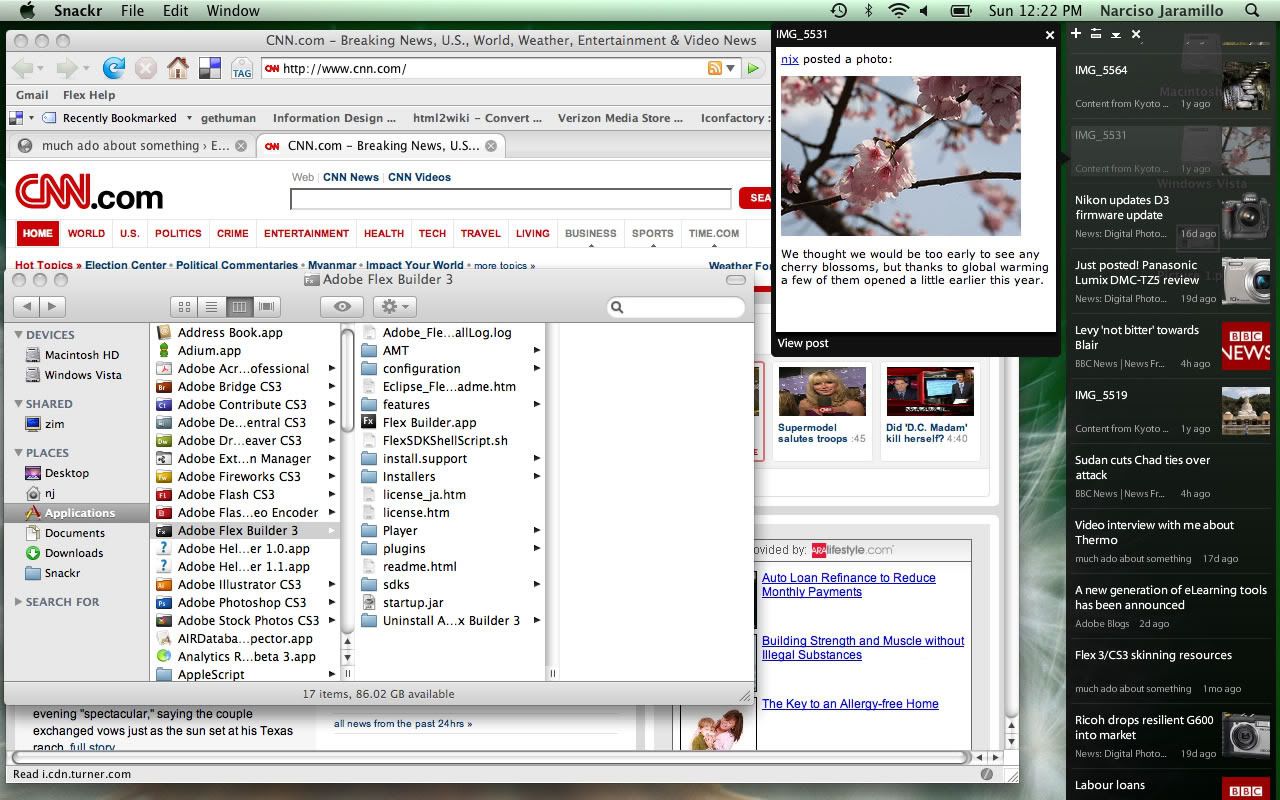
Snackr is an RSS ticker that pulls random items from your feeds and scrolls them across your desktop. When you see a title that looks interesting, you can click on it to pop up the item in a window (Windows / Linux / Mac).

Snackr was built using Adobe Flex 3 and Adobe AIR 1.0. AIR makes it really easy to build cross-platform desktop apps using web technologies like AJAX, Flash and Flex. The Adobe AIR runtime will be installed when you install Snackr.

To install Snackr, first you need to install Adobe Air, then download Snackr, double click the file you just downloaded and follow the on-screen instructions.

[via 7-11]

Share Files with Your Web Browser Only (P2P)

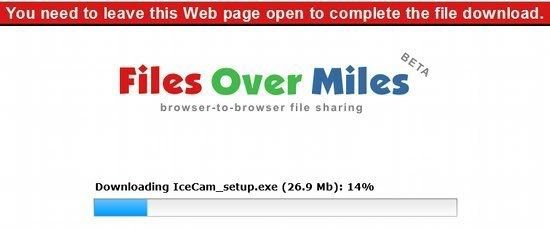
photobucketLooking for a good, simple way to send files using only your web browser? As long as you and your recipient have the Flash plugin installed, it doesn't get much easier than Files Over Miles.

Choose a file to share, and FOM creates a hash-like URL for the transfer. Nothing starts moving until the receiver visits the URL and the client kicks in. Once that happens, your data is sent directly to the person at the other end. Nothing is stored on a server and transfers are fully encrypted.

FOM is free to use and will likely stay that way. Since you use your own bandwidth, their expenses should be fairly minimal.

JDownloader 0.5.859 - New Interface, Firefox Addon and Many other Changes

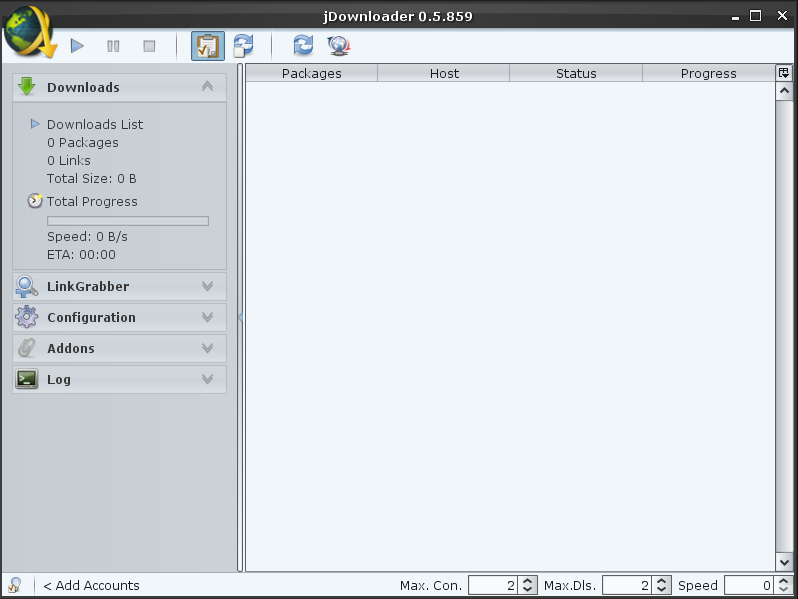
JDownloader, the java-based (thus multi-platform) download application for services such as Rapidshare and Megaupload released a new version which includes a new interface:

jdownloader 0.5.859 Final

The new version also comes with a Firefox plugin which can automatically handle the download links.

Here is the full list of changes in version 0.5.859 Final:

Hoster, Decrypter, Megaupload, Mediafire, Uploaded,.....

The all got fixed! Since there are so much changes, we no not list all new and updated plugins here. There were changes on nearly all of them.

Anticaptcha

JDownloader now comes with OCR methods for over 35 different servies. Enable or disable them indivudually.

Layout

JDownloader now uses a collapsible sidebar layout. You will experience, that you always have all currently important interactions either in the context (right click) or sidebar menu.

Keep it simple

The amount of windows was reduced to keep the app simple. Most addons and modules no are placed in the main frame. Even the linkgrabber has no popup any more.

Performance

There now are various options to boost JDownloader's GUI speed. Disable advanced effects in the interface configuration, disable window decoration or switch to the low-performance-style (first style in list)

Menuless

There is no menu any more. The sidebar and the new startmenu provide all interactions you need. Just click the JDownloader logo in the top-left corner.

Premium

Most of the premiumusers know: “To use a premiumaccount, you have to activate premium globally”. This has NOT changed. But the Global premium switch no provides more features… Click it with the left mousebutton, and you enable/disable premium globally. A right click invokes the premiumquickmenu. Open your favourite hoster's configuration as fast as possible.
The quick-Premium button is located at the bottom-left corner.

Hostericons

JDownloader now uses Hoster's logo instead of text.
If you like to use custom hoster icons, just createan icon with the hoster's domain in
jd_home\jd\img\hosterlogos
for example:
jd_home\jd\img\hosterlogos\mysamplehoster.com.png
The icons have to be in png format, and should be 16×16 Pixel.

Have a break

It now has a break feature, which reduces downloadspeed to a minimum but keeps connections open. This may be usefully if you have to do a void call.

Stop after X

The new Stop-Sign Feature allows you to mark a download or package, after which the download should stop. Right click on any Downloadlink or Filepackage to set it's stop sign and no further downloads will start after the selected one.

Some downloadlinks are more equal than others

You are used to the fact, that JDownloaders handles links from top to bottom. This is still true, except you set priority on some links or packages. A priorized link will always start before others. If you like to download a certain link NOW, you do not longer have to move it to the list's head. Just click right → an give it a priority form -1 to 3. You even can assign priority in the linkgrabber.

Colorful

JDownloader comes in your preferred color to fit perfect to the rest of your system.
Configuration→Interface→Look→Select a style and restart.

Greedy Grabber

The linkgrabber has been improved a lot. It comes totally rewritten and provides packaging by drag&drop, filtering file types, online and statuschecks,hoster selection, and much more. The Linkgrabber's configuration allows to disable the filecheck or to edit a static filterlist. Using this list, you can filter special file types, hoster, etc. The filter is based on regular expressions which match on the url or the filename. Double click on packages or links to open its file(package) information. Click right on various packages to set the destination for all together.

Be informed

Balloons which pop up at the bottom right inform you about important events. Of course, this feature can be disabled. Moreover, JD shows you more detailed infos about what it is doing. A filterable log helps you to find your information.

Need help?

Most options now have a header. Clicking this header usually leads you to the concerned knowledge base site. If you need detailed help for a certain feature, try to press ctrl+shift and move our mouse over any component.

Package info and Link info

Double click on a download link and you will get detailed info about it's download destination and source, or about it's chunks if you load with parallel connections.
Double click on a package and you will get detailed package information. You even are able to change download destination, package name, archive password or the package comment.


Before installing, read this:


Because of high Serverload you may experience *hangs* at startup, thats absolute normal because JDownloader is updating the hoster plugins and this may take some time! It may also be possible that someone need to restart JDownloader several times until every plugin is updated!

2nd IMPORTANT NOTICE

Because of high Serverload on our 3 Updateservers the update may fail several times at the moment and therefore JDownloader does not work properly! In such a case please restart JDownloader and let it update again or download the Zip-Version from Download-area and extract it over the old installation!


Simplify Media: Share Your Music Collection with Your Friends via Streaming [Multi-Platform]

web upd8

Simplify Media is a program that lets you listen to your friends music and allows them to listen to your music library, all in just a few steps. Also, this works for any operating system.

The operation is simple: choose which folders your friends will be allowed to listen and then invite them to create an account.

In Linux use Rhythmbox to listen to the music of your friends, use iTunes on OS X and Winamp in Windows.

Limitations

Playback: Song lengths may display inaccurately and the song progress bar is not operational.

Server: Except for WMA files, all file types supported by Simplify Media can be streamed from Linux machines. Note that playlists cannot be shared from Linux.

Installing Simplify Media on Ubuntu


Download and unzip simplifymedia.tar.gz. Review the README and, for Rhythmbox, run the setup script.

Ubuntu 8.10 or 9.04 is required.

unzip the Simplify Media archive

Launch Simplify Media and review the software license.

review the license agreement

Create your free account by entering a screen name and password. Use your same screen name to sign in on your other computers.

create a free account

Add an email address and a name for this computer.

The final set-up step: pick music to share. Only you and the people you invite can stream music from your computer.

add your email address

Only you and the people you invite can stream music from your computer.

Note: it will take several minutes for your songs to start to be available, and it may take an hour or more for the scan process to complete if your library is very large.

select music to share

The Media List displays the status of the computers you are connected to.

To access more music, invite friends (limit 30).

To chat with friends, click on their names. The Messages tab lets you see when others are playing your music.

Media List

To play music, open Rhythmbox. Simplify Media libraries appear under Shared.

Tip: use search and browse to explore large libraries.

Simplify Media libraries in Rhythmbox

The Support page contains answers to frequently asked questions. If you encounter a software problem, please try the Troubleshooting option from the Simplify Media menu. If this does not address your issue, please consult the Troubleshooting web page.


Gimp FX Foundry: 115 Scripts Ready for Gimp 2.6

photobucket

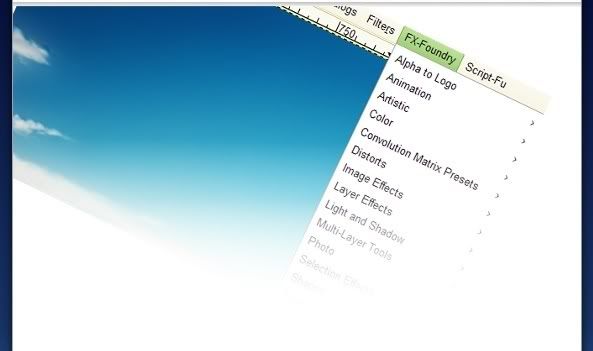
There are lots of scripts to the Gimp, which simplifies your image editing. Gimp FX Foundry has merged a whole lot of different scripts to a collection and where you will find the most you will ever need for your image editing.

Gimp FX Foundry now includes 115 scripts and ready for Gimp 2.6. It is easy to install and you receive a fully self dropdown menu where all the different scripts are broken down logically so that it is easy to find just the script that you need at the moment. Remember to make a copy of the layer before you start using filters so you always can go back to the original picture.

You will also find plenty other scripts in Gimp Registry. A useful script that is not in the FX Foundry is the High Pass Sharpen. I will come back to that Script later and make you understand how and when you can use that to really lift your photos.

How to install scripts in GIMP:

Windows

Download the file to C:\Documents and Settings\ <yourname> \.gimp-2.6\scripts

Linux

1. User: Download the file to ~/.gimp-2.6/scripts
2. Global: Download the file to /usr/share/gimp/2.0/scripts

Then in GIMP: Filters » Script-Fu » Refresh Scripts

TED (Torrent Episode Downloader): Download Your Favourite TV Series Episodes via RSS & Torrents

ted

TED Torrent Episode Downloader is a program that allows you to download the latest episodes of your favorite TV series thanks to a perfect combination of RSS and BitTorrent technology.

TED is an RSS aggregator, but with the functionality of any computer BitTorrent software (you can use ted with Azureus, uTorrent, Tomato Torrent, Transmission or any other torrent client): we subscribe to the TV series which want to download and the program checks the website and any podcast or feed and if updates are found, it downloads them.

Because TED is written in java, it means it's multi-platform so it works on Windows, Linux and Mac.

We can filter the results by file size, keywords, and minimum number of seeds that must have a torrent to download.

photobucketTED comes with a huge list of shows, all waiting for you to be watched. ted even displays a summary of each show, to help you choose shows you like. You can subscribe to TV series such as: Lost, Nip Tuck, Dr. House, Mythbusters, American Idol, American Chopper, American Dad!, Big Brother, Dexter, Family Guy, My name is Earl, Prison Break, Grays Anatomy, and many more.

And of course, you can add your own RSS feed.


Download TED.

[via Tuxi]

8 OpenOffice Extensions

OpenOffice is already a complete desktop office suite that is at par in terms of features with the proprietary Microsoft Office. However, its functionality can still be improved by utilizing useful extensions that are easily available.

Like in Firefox, OpenOffice will let you install or remove extensions without difficulty with the use of an Extension Manager.

Now if you are ready to try out some handy OpenOffice extensions, here are those that I highly recommend:

1. Writer's Tools

web upd8This is definitely one of my favorite extensions. Fully loaded with useful utilities, Writer's Tools is truly a must-have for professional and even for non-professional writers. Some of its impressive features are:Multi-format Backup tool saves the currently opened Writer document in the Word, RTF, and TXT formats.

* Email Backup tool can be used to quickly send a backup copy of the currently opened document to a specified email address.

* Lookup Tool lets you look up the currently selected word in several online references, including Cambridge Dictionaries, WordNet, and Google Define.

* Post to Microblog tool can be used to send messages to the Identi.ca and Twitter microblogging services.

CLICK HERE TO DOWNLOAD


2. LanguageTool

web upd8This extension makes it possible to check for grammatical and language errors since OpenOffice doesn't have a grammar and language checker by default. It supports languages in English, German, Polish, Dutch, and much more. It is rule-based, which means it will find errors for which a rule is defined in its XML configuration files. Rules for more complicated errors can be written in Java. However, it does not include spell checking.

CLICK HERE TO DOWNLOAD


3. Professional Template Pack II

web upd8If you want to create professional-looking documents and presentations, then you must get this extension. This template pack contains more than 120 templates for Writer, Calc, and Impress. Some of the included templates are:

* Business correspondence templates
* Budget and project plan templates
* Event posters in six different layouts
* Presentation templates
* A dozen formal and personal letter templates
* Business card templates

CLICK HERE TO DOWNLOAD


4. Sun Presentation Minimizer

photobucketIf you want to efficiently reduce the file size of your presentation, then this extension is for you. It can optimize the image quality size and remove data that is no longer needed in your presentation. The Sun Presentation Minimizer wizard summarizes all of the changes that will be made to your presentation, and then gives you an estimate of the file size reduction.

CLICK HERE TO DOWNLOAD


5. OpenOffice.org2GoogleDocs

web upd8This extension is essential for those who are always on the go. It makes it possible to export, update, and import your documents to and from Google Docs, Zoho and WebDAV servers. With OOo2GD you may export to Google Docs, Zoho and WebDAV servers:

* Documents: ODT, SXW, DOC, RTF without modification, other known to OO.org after conversion to ODT

* Spreadsheets: ODS, XLS, CSV without modification, other known to OO.org after conversion to ODS

* Presentations: PPT, PPS without modification, other known to OO.org after conversion to PPT

CLICK HERE TO DOWNLOAD


6. Modern Impress Template
This is simply a collection of 30 beautiful templates that you can use for your presentation to impress your teacher or your boss. The graphics by the way are based on open-source art. After installation, you can access the template by going to File -- > New --> Templates and Documents --> Templates --> My Templates.

web upd8


7. DataForm

web upd8To be able to generate a data input form for tables in Calc (reproducing the “Data – Form” feature of Microsoft Office Excel), you will need this extension.

In Calc, create a table with at least one row and the headline, for example:
Name | Surname | Cellphone
John | Smith | 1234455

Then, click on a range or any cell of the newly created table (not on empty cells), and go to Data - Form. That's it. A form will appear letting you insert other records, or edit-delete the old ones.

CLICK HERE TO DOWNLOAD


8. Alternative dialog Find & Replace for Writer

web upd8This is the enhanced version of Find & Replace function in Writer. Some of its key features are:

* Fast selection preset regular and extended expressions

* Searched or replaced text can contain one or more paragraphs

* Search out block of paragraphs delimited by two text marks

* Multiple search and replacement in one step

CLICK HERE TO DOWNLOAD

[via tech source from bohol]

A new Version of FrostWire is Available (Cross-Platform P2P and Bittorrent Client)

FrostWire

A new version of FrostWire is available, a P2P open source client based on LimeWire. It is written in Java so it is available in almost all operating systems: Windows, Mac OS and GNU / Linux.

For a full list of changes in FrostWire 4.18.0, visit this page.

FrostWire uses the Gnutella network but is also fully compatible with Bittorrent network.

Download the Ubuntu version from here.

For all the other operating systems, go to the download page.

[via UbuntuTips]