Ubuntu / Linux news and application reviews.

Nautilus Dropbox Share Script, Now Available In An Ubuntu PPA

A while back I wrote a Nautilus script for easily sharing any file or folder using Dropbox, via right click. But scripts get lost, especially since most people do a clean Ubuntu install every 6 months. Also, I guess it's easier to simply install it from a PPA / .deb then having to manually install the dependencies and moving the script to the right folder and so on. For this reason, I've packaged my Dropbox Share script in a .deb and uploaded it to the main WebUpd8 PPA.

A little recap on what Dropbox Share does: using it, you can right click any file or folder (!) on your computer and share it via Dropbox. The script creates a link to the file / folder you want to share, in your Dropbox Public folder and automatically copies the link(s) to the clipboard so you can paste it in an email, IM window and so on.


Why using this script is better then copying some files in your Public Dropbox folder:
  • because the script uses symbolic links, the files aren't actually copied to your Dropbox public folder, so they won't take the double amount of space
  • all the links are automatically copied to the clipboard
  • you can even share folders, even though Dropbox doesn't allow this by default (the shared folder will have an "index.html" file and thus opening its link in a web browser, it can be easily accessed via a web browser)

EiskaltDC++: Actively Developed Direct Connect (DC++) Client For Linux [Ubuntu PPA Available]

eiskaltdcpp


Everyone is probably still using the old Linuxdcpp for direct connect file sharing, and even though I see some activity on Launchpad, Linuxdcpp didn't get a new version in more than a year so you may want to try some alternatives. I for one really like Microdc2 but if you want a GUI for the job, you may want to give EiskaltDC++ a try.


EiskaltDC++ is a program for UNIX-like systems that uses the Direct Connect and ADC protocol. It is compatible with other DC clients, such as the original DC from Neomodus, DC++ and derivatives. EiskaltDC++ also interoperates with all common DC hub software.


Streamfire: Share Files Of Up To 300MB Without Installing Any Software

streamfile

Streamfire is a new website which allows you to transfer files for up to 300mb, for free. Transferring files over instant messenger is usually very slow, and most email services have limits for file attachments (for instance, you can send a maximum of 25 mb through Gmail). Streamfile facilitates streaming file transfers of up to 150MB, or 300MB with a free sign-up. Linux users will be more than happy to hear that the website is all Javascript (no Flash).

Like I said, Streamfire is free, but:

"We may, however, also use your email address or other personally identifiable information to send commercial or marketing messages without your consent. Your e-mail address may also be made accessible to third parties with which Streamfile has entered agreements."


But this can be changed so head over to your account preferences and uncheck the necessary box to opt out. If you don't need over 150MB space for your files, you don't need to worry about this, as you don't need an account.

Also, you don't need to worry about privacy, as Streamfire downloads are secure, thanks to 256-bit AES SSL encryption.

[via downloadsquad.com]

Share Files with Your Web Browser Only (P2P)

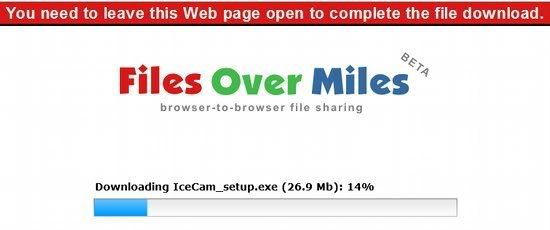
photobucketLooking for a good, simple way to send files using only your web browser? As long as you and your recipient have the Flash plugin installed, it doesn't get much easier than Files Over Miles.

Choose a file to share, and FOM creates a hash-like URL for the transfer. Nothing starts moving until the receiver visits the URL and the client kicks in. Once that happens, your data is sent directly to the person at the other end. Nothing is stored on a server and transfers are fully encrypted.

FOM is free to use and will likely stay that way. Since you use your own bandwidth, their expenses should be fairly minimal.

EU Against Tougher Anti-piracy Legislation

EU filesharingDespite the fact that individual countries in the European Union - France, especially - are trying to implement extreme measures against piracy, such as kicking file sharers off the Internet after three warnings, the European Union itself has spoken against such measures on several occasions.

This time, the European Parliament has voted in favor of a report from Greek MEP Stavros Lambrinidis, which speaks about security and fundamental freedoms on the Internet.

The thing about the Internet is this: it’s essential. You can’t just take away net access from people based on the recommendations of private corporations. As the report states, having access to the Internet is “equivalent to ensuring that all citizens have access to schooling,” and this access should not be denied by governments or private companies. Yes, piracy is a problem. But solving the problem by denying offenders the right to ever use Internet again is extreme at the very least.

There’s another interesting tidbit of info in the report, which can be tied to Facebook’s recent change of terms of service (and the subsequent withdrawal of the changes). The report stresses the importance of users having the right to permanently delete any of their personal details saved on “Internet websites or on any third party data storage medium.” That means that Facebook or any other company should take great care to make sure their users are in control of their data, otherwise they might run into problems with the EU.


via mashable

Download Torrents Remotely With Pirate Bay’s RSS

torrent rssThe Pirate Bay has rolled out a new feature which allows users to bookmark torrents and download them remotely, simply by adding their personal RSS feed URL to their BitTorrent client. Why wait, when you can start your torrent downloads on the go?

Downloading torrents remotely can come in quite handy when you’re at work, in a record store or at a friends place. With a new feature at the Pirate Bay, you can do this with relative ease.

Instead of downloading the torrent directly, users now have the option to add the torrent to their personal RSS feed. When added to your feed, the torrent will download automatically when your BitTorrent client is running at home. That is, if your favorite BitTorrent client has RSS support. Luckily, almost all popular clients do by now.

“We hope that it’s a small nice addition for people to remember to download stuff that you find on your cellphone, at your friends place or whatever, without the need to update your torrent client,”


says the mysterious KingKong over at The Pirate Bay.

The new RSS feature is still in beta, and users first have to add torrents to their personal RSS feed before it’s created. At the time of writing the feeds are not updating correctly due to a caching issue, but we were told that this will be resolved soon. Pirate Bay users can find the link to their personal RSS feed in their account preference settings.

Please note that the Firefox browser may report the url as a possible threat, as we reported last week. We can assure you that it’s perfectly safe to use though. Mininova users who want to download torrents remotely can use Mininova’s bookmark feature, covered in our earlier article and isoHunt has a similar feature.

[via torrentfreak]