Ubuntu / Linux news and application reviews.

Seesmic Browser-Based Twitter and Facebook Client - Best One Yet

seesmic twitter facebook browser client

Like we were telling you a month ago, Seesmic's was about to launch a new browser-based client which is now out, to go with their desktop client for Twitter and Facebook. Before you even consider the features of Seesmic Web, though, you might notice something quite familiar about the interface: there's a single-column mode that looks a heck of a lot like Gmail. Timeline, replies and direct messages are in a sidebar, like Gmail's folders, and the text of the tweets or Facebook posts themselves goes right where you'd expect to see a subject line.

The client is pretty basic, simple to use and similar in some ways to the desktop client.

You can open up your timeline in a column, your mentions in another column and your direct messages in another column. You can also use the mouse to roll over a Twitter handle and will be given the option to see the user’s profile, message the user or unfollow the user. My favorite part of this interface is using the timeline in the single column mode, which makes it seem like a simple, easy to use email application. The other compelling part of the browser client is the layout of the direct messages, which makes it simple to have and see a conversation with someone.

New Twitter Client Seesmic Desktop: TweetDeck's Greatest Rival?

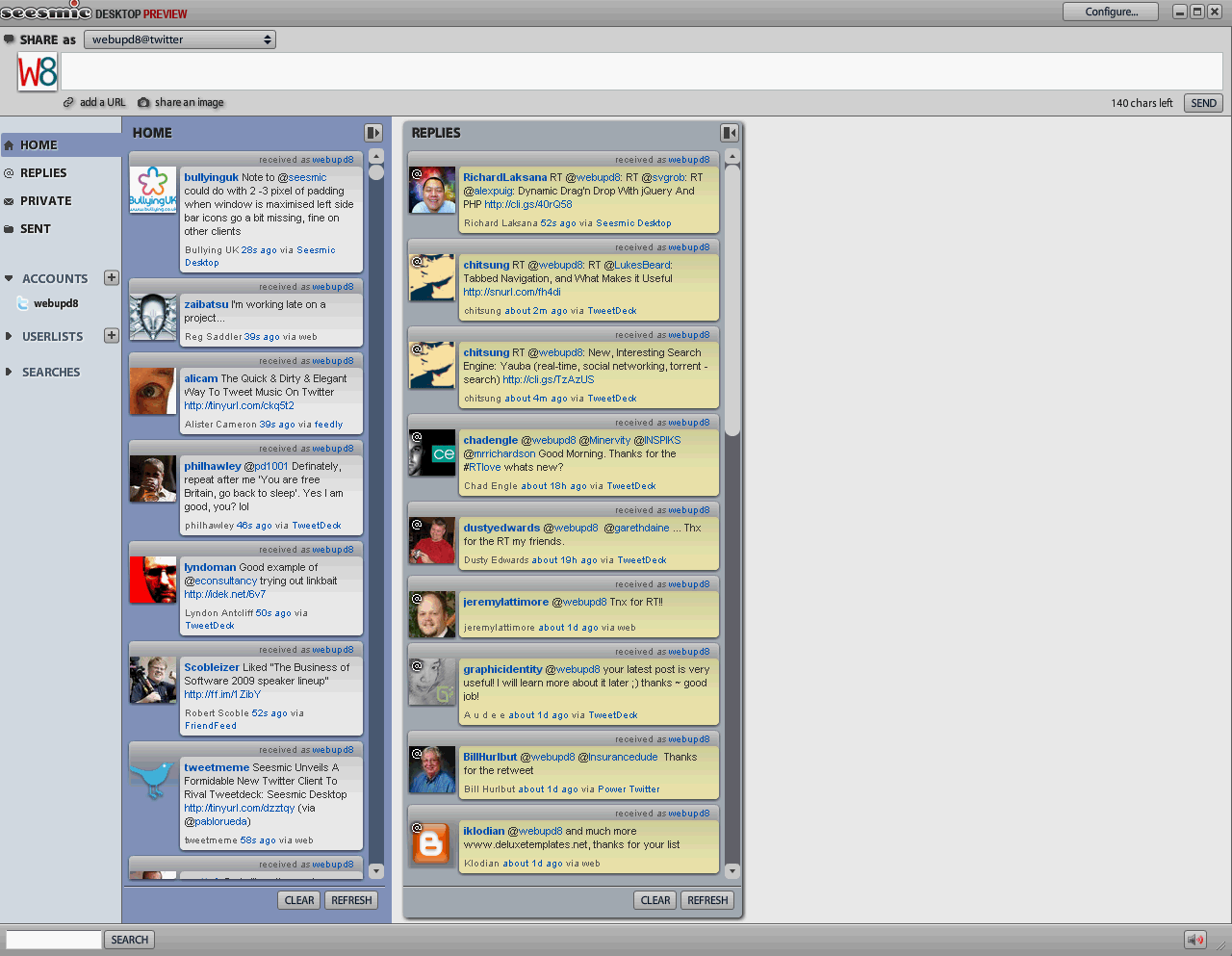
seismic desktop screenshotSeesmic, who also owns popular Twitter app Twhirl, has launched a new Twitter client, Seesmic Desktop. Like Twhirl, Seesmic Desktop is a desktop app, operated by Adobe Air. Seesmic Desktop allows you to view multiple accounts in one window, unlike Twhirl, where you have to view multiple accounts in different windows. It looks like it was designed to rival competitor TweetDeck, which is the most popular desktop client for Twitter. Le Meur says that Seesmic will discontinue adding features to Twhirl (he jokes that it has a difficult name) and will primarily focus on building out Seesmic Desktop.


Here are a few of the nifty features Seesmic Desktop will have:

Multiple Accounts
Not only will you be able to see multiple Twitter accounts in one place, but you will be able to view the window in columns (similar to Tweetdeck). With this timeline, users can easily see Tweets and messages from multiple accounts and easily organize different applications. Le Meur says the interface is as simple as a Gmail interface.

Lists
You will be able to group your social contacts into lists like family, co-workers and friends.

Photos and Video
Like Twhirl, you will be able to share photos (integrated with TwitPic) and record and share video via Seesmic (that feature will be coming soon, Le Meur says). You can also drag and drop an image into messages. You can import video via your web cam as well.

Support for Social Networks
Currently the client only serves Twitter but Le Meur says that eventually Seesmic Desktop will have integrate with Facebook, Digg, Identica, Ping.FM and FriendFeed. Twhirl currently has support for these networks.

Stability
Because Seesmic Desktop is built on the stability of company Seesmic’s platform and Adobe Air, Le Meur says that his new client will be much more stable than competitor Tweetdeck.

Shorten Urls
Also like Twhirl, you will be able to shorten URLs to share via Twitter

Search
Search queries of messages opens in different columns and are saved.

This new client is like an upgraded, stronger Twhirl with even more powerful capabilities. According to LeMeur, Twhirl has been downloaded 1.2 million times and is the leading Twitter client on the web. Twitstat says that Twhirl is the 4th most popular Twitter client, behind rival Tweetdeck, which ranks as #2 on the list. But this new app could overtake Tweetdeck with its new functionality. Its actually similar in some ways to AlertThingy. Le Meur wants this client to be the Bloomberg of social software, aggregating all content into one (free) desktop app, perhaps becoming the desktop app version of FriendFeed along the way.


Just like Trillian Astra about which we just talked, to be able to download Seesmic Desktop you have to join the beta program, enter your email and then receive the download link in your inbox.

P.s.: I for one love TweetGadget as a stand-alone web app (website).

[via techcrunch]