Ubuntu / Linux news and application reviews.

Re-Enable Working PPAs After Ubuntu Upgrade With Y PPA Manager 0.0.8.2

Y PPA Manager

Today I'm releasing Y PPA Manager 0.0.8.2. The new version comes with only one new feature: re-enable working PPAs after an Ubuntu upgrade. This feature was implemented by WebUpd8 reader Christian Dannie Storgaard (many thanks!).

All PPAs are automatically disabled when you upgrade to a new Ubuntu version. This new option checks if the old PPAs work with the new Ubuntu version and if they do work, it re-enables them.

How To Upgrade To Ubuntu 11.04 Natty Narwhal (With Or Without An Internet Connection)

Since a lot of people want to upgrade to Ubuntu 11.04 Natty Narwhal already, I though you'd like to see a video (well actually 2) on how to upgrade to Ubuntu 11.04. Remember that starting with Ubuntu 11.04, you can upgrade using the Live CD too.

Before upgrading, make sure you back up all your important files! Also, at the time I'm posting this, Ubuntu 11.04 is still in beta so upgrade at your own risk!

How To Upgrade To Ubuntu 10.10 Maverick Meerkat

ubuntu 10.10 maverick meerkat


To upgrade to Ubuntu 10.10 Maverick Meerkat, all you have to do is press Alt + F2 and enter: "update-manager -d", then follow the instructions on the screen.


[old instructions for when Ubuntu 10.10 was in the first weeks of development]
The steps below are only for when upgrading before even Alpha 1 was released (that's when this post was written) so use the command above now!!!


Right now (Alpha 1 wasn't even released yet!), you'll have to tweak some things to be able to upgrade to Ubuntu 10.10. For now there isn't even an ISO available with Ubuntu 10.10 Maverick Meerkat.


Warning: only upgrade for testing purposes! Ubuntu 10.10 Maverick Meerkat is in very early development stages so a lot of things might not work! You have been warned!

Upgrade To Ubuntu 10.04 Lucid Lynx Without An Internet Connection

It's easy to upgrade to Ubuntu 10.04 Lucid Lynx if have an Internet connection but what if you have no Internet access?

Set Up A Cron Job To Take Care Of Your Upgrades [Quick Linux Tip]

Here is a quick tip for setting up automatic updates using cron. I've used "apt-get" in my post, but you can use "aptitude" instead, or any other distribution upgrade command.

ALSA 1.0.21 Upgrade Script For Ubuntu / Debian [Linux]

Using the same ALSA upgrade script as for 1.0.20, but with some minor tweaks, you can upgrade to ALSA 1.0.21 by running a simple sh file.

For instructions on how to run the script and other MUST READ info, please check our ALSA 1.0.20 upgade script post.

Once you do that, you can download the ALSA 1.0.21 upgrade script from HERE.

One note: if this error occurs:

My Upgrade to Ubuntu 9.04 Jaunty

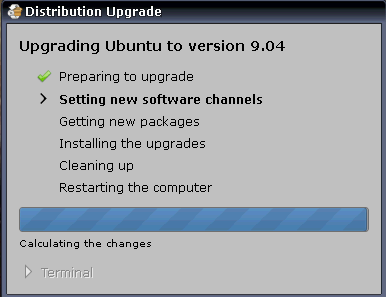
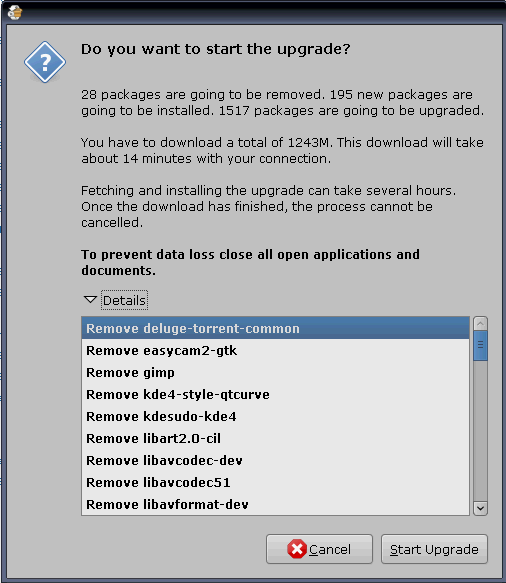
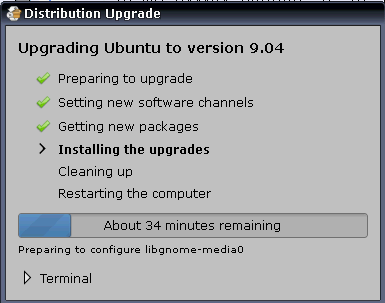
I decided yesterday to upgrade from Ubuntu Intrepid to Jaunty (Release Candidate). Alt + F2 and typed:
update-manager -d

then i followed the on-screen instructions (nothing much):

photobucket

photobucket

photobucket

and after the restart I only had a few minor issues:

My Amarok was upgraded from 1.4 to 2.0.2 and I had to rescan the music collection and also my custom playlists were gone. I had to drag each playlist into Amarok and then save it again. That fixed one issue.

The second issue was the Compiz effects which were mostly disabled (probably reseted) so i had to re-enable them (but the settings inside the effects were kept, i just had to re-enable them).

The third issue: since i login as root (i don't care what people say, i'm logging in as root for 2-3 years now), VLC cannot work while logged in as root (but that was a issue starting with Intrepid) so i disabled all Jaunty repositories (System > Administration > Software Sources: First tab, uncheck them all), I added Hardy repositories:
deb http://archive.ubuntu.com/ubuntu hardy main universe multiverse

I then removed my vlc and installed version 0.8.6, then used the synaptic package manager to lock the version (click on a package and go to Package > Lock Version. Also lock additional packages vlc will install.

The last issue (which I could not resolve yet) is that Amarok does not submit my listened tracks to Last.fm. I tried upgrading from version 2.0.2 to 2.1 beta and still nothing but i'm searching for a fix.

Everything runs much smoother on Ubuntu 9.04 Jaunty Jackalope and i'm mostly thrilled about the way Firefox is behaving: eats a lot less CPU, runs much better.

There was also some annoying Pidgin notifications every time someone logged in or out, etc which I turned off by going to Pidgin -> Tools -> Plugins and uncheck Libnotify Popups.

Ubuntu Newbie Guide: How to Keep Your Computer Up-to-date [part 3]

As I was saying in the previous part of the Ubuntu newbie guide - How to Add Custom Repositories, the update system in Ubuntu and most Linux distributions for that matter, is amazing and it keeps all your applications up-to-date by automatically installing the updates or by prompting you. Also, you can install only crucial updates or all of them. Here is how to set them:

Go to System > Administration > Software Sources, on the "Update" tab:

photobucket

As you can see, you can set what kind of updates to install (Important, Recommended, Pre-released or Unsuported), the update checking frequency and if to install them automatically, just prompt you or download the updates in the background and notify you. When there are new updates, an icon will appear in the notification area (you may know it by the name of "Systray"), click that icon and select to update your computer. Also, to do it in a terminal window, first you need to update the repositories with:

sudo apt-get update

and then proceed with the upgrade (installation of the updates) by typing the following command in a terminal:

sudo apt-get upgrade

But the best part about the update/upgrade system in Ubuntu is that (at this last part, Windows sucks because you need to format before installing a new release) you can set the update system to notify you about new distribution releases which practically means to get prompted when a new version of Ubuntu is out (normal - any version, or long term support - LTS which are versions for which updates are provided for a longer period of time than usual) and you can, of course, install those new Ubuntu releases without having to format. These distribution upgrades are run very smoothly and all applications installed through repositories work like a charm. For example, on my last distribution upgrade, Amarok took up from where it left with my song from that exact same second. Try that on Windows: install Win7 over Windows XP or Vista and have it remember all your installed applications and settings. It's of course impossible, i was just kidding :)

This part is shorter than usual but essential, as it is very important to keep your computer up to date so that Ubuntu remains uncrackable as in the last White Hackers Contest PWN2OWN:

In the 2008 edition, MacBook Air was hacked in just 2 minutes while Windows Vista SP1 lasted until the second day of the competition. Ubuntu 7.10 couldn't be hacked.