Ubuntu / Linux news and application reviews.

GDM3Setup: GUI To Change GDM3 Wallpaper, Theme, Logo And More

GDM3Setup


Last week we've posted about changing the GNOME 3 login screen background / GTK3 theme via command line but if you want to use a GUI for this, you'll be glad to know that one already exists: GDM3Setup.

GDM3Setup is a simple GUI tool to tweak GDM3 (GNOME3 login screen). Using it, you can change the following GDM3 settings: wallpaper, GTK3 theme, icon theme, logo, disable the login screen user list or restart buttons.

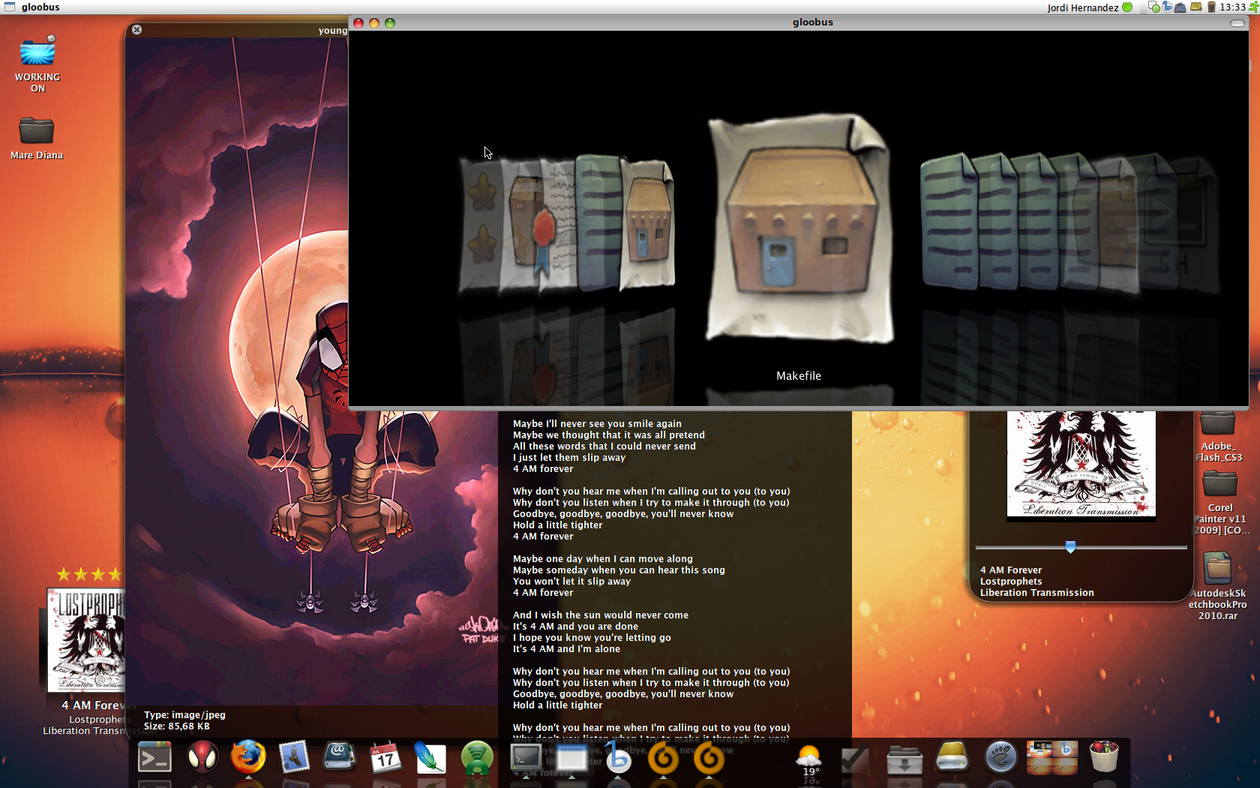
Quick Previews In Gnome & Ubuntu With Gloobus [AMAZING!]


Gloobus is an extension of Gnome designed to enable a full screen preview of any kind of file. Gloobus currently supports the following files: TXT , PDF, JPG, BMP, GIF, PNG, PSD, MP3, OGG, MPG, WMV, XCF. Finally I can preview PSD and XCF files :D.


Official Gloobus description:

Ever been annoyed by those tiny miniatures of your files that are helpless. Outraged by the fact that there's no miniature for half of the file formats you're using. Excruciated by the painful loading time to see if you're dealing with the right file? Hail to Gloobus, for tis' is the Holy Grail of preview! Designed as an extendable, standards-compliant previewer , so that it plays nice with Gnome and can be easily extended to support any kind of file, Gloobus enables instant previewing of your files, without even having to open them. Hit space, and BANG, here's the content of your file, displayed as it would if it was opened.


Before you get started with installing Gloobus, please take a look at the following 2 screencasts with Gloobus in action (I know you will most definetly want to install Gloobus after watching those...):

Install VLC 1.0.0 Final In Ubuntu (from a PPA Repository), Arch Linux and Fedora

vlc 1.0.0

Final as in 'non release candidate', obviously there will be versions like 1.0.1 and so on.

Installing VLC 1.0.0 in Ubuntu

I wrote some time ago about a repository which had the VLC 1.0 RC for Ubuntu, but for now that repository has only has been updated to VLC 1.0 RC4. Thanks to OcioLinux I found a PPA repository that has the latest VLC 1.0.0. To add this repo, paste this in a terminal:

-For Ubuntu Jaunty Jackalope:
sudo sh -c "echo 'deb http://ppa.launchpad.net/c-korn/vlc/ubuntu jaunty main' >> /etc/apt/sources.list"

-For Ubuntu Intrepid Ibex:
sudo sh -c "echo 'deb http://ppa.launchpad.net/c-korn/vlc/ubuntu intrepid main' >> /etc/apt/sources.list"

-For Ubuntu Hardy Heron:
sudo sh -c "echo 'deb http://ppa.launchpad.net/c-korn/vlc/ubuntu hardy main' >> /etc/apt/sources.list"


Then import the GPG key (any of the above Ubuntu version):
sudo apt-key adv --keyserver keyserver.ubuntu.com --recv-keys 7613768D

And then:

sudo apt-get update && sudo apt-get install vlc vlc-plugin-esd mozilla-plugin-vlc

Installing VLC 1.0.0 in Arch Linux

Activate the "extra" repository and paste this in a terminal:
pacman -S vlc

Installing VLC 1.0.0 in Fedora

Paste this in a terminal:
su -
rpm -ivh http://download1.rpmfusion.org/free/fedora/rpmfusion-free-release-stable.noarch.rpm
yum install vlc
yum install mozilla-vlc (optional)