Ubuntu / Linux news and application reviews.

XBMC 13.0 `Gotham` Released

XBMC Media Center 13.0 "Gotham" was released yesterday, bringing improvements across all platforms, such as hardware decoding on Android, proper PulseAudio support for Linux, improved settings, support for some 3D movie formats and more.

XBMC 13

XBMC Media Center 13.0 Gotham Beta 1 Released

XBMC Media Center 13.0 "Gotham" Beta 1 has been released, bringing improvements across all platforms, such as hardware decoding on Android, proper PulseAudio support for Linux, improved settings, support for some 3D movie formats and more.

XBMC 13.0 gotham

XBMC 12.0 `Frodo` Stable Released. Use It On Ubuntu, Raspberry Pi, Android And More

XBMC Media Center 12.0 "Frodo" has been released today with HD audio, Live TV and PVR support and many other enhancements. Also, the application is now available for Android and Raspberry Pi (although there are no official Raspberry Pi builds provided by XBMC).

Xbmc 12.0 Ubuntu

XBMC Media Center 12.0 Beta 1 Released With Raspberry PI And Android Support

XBMC Media Center, a free, open source digital media hub and HTPC (Home theatre PC) software has reached version 12.0 beta 1.  

Besides new features and improvements, the latest XBMC 12.0 beta 1 codenamed "Frodo" is now available on some new platforms like Raspberry PI or Android.

Xbmc 12 Ubuntu

XBMC Media Center 11.0 Released, Install It In Ubuntu

xbmc 11

XBMC Media Center is a free and open source (GPL) digital media hub and HTPC (Home theater PC) software, available for Linux, OSX, iOS and Windows.

XBMC 11 "Eden" has been released recently and comes with speed increases, better and simpler library, better unencrypted BluRay support, default skin improvements, better networking support, AirPlay support, upgraded weather service with geoip lookup and much more. The new version also brings support for Apple TV2 and iOS.

XBMC 10.0 "Dharma" Released With Built-In Addons System, VAAPI Support, Improved VDPAU, More

XBMC 10.0

XBMC is a free and open source (GPL) software media player and entertainment hub for digital media for for Linux, OSX, Windows, and the original Xbox.

XBMC 10.0 "Dharma" has been released yesterday. Most of the work in the new version has been done to the addons framework. Until XBMC 10, you had to search for new skins and addons through the forums, manually download and install it and so on - starting with version 10, installing new skins and addons got a lot easier: in XBMC 10, installing a new skin or addon is done from the XBMC interface (the Addons section).

I must say I'm loving the Grooveshark addon! There was an issue with it not playing for some reason but after chaging the playback core to "DVDPlayer" under the Grooveshark plugin settings it finally worked.

XBMC 10 - grooveshark

Open Source Media Center XBMC 9.11: Camelot Released [Windows, Linux, Mac OS X]

xbmc 9.11 camelot

XBMC 9.11: Camelot has been released just in time for the holidays. It includes a revamped user interface via the new default skin "Confluence", DirectX support by default for the Windows platform, a complete reorganization of the settings menus, automatic video information extraction, and smoother video playback using updated codecs.


XBMC (Open-Source Media Center) Has Been Updated to Version 9.04, Codename Babylon

XBMC Media Center

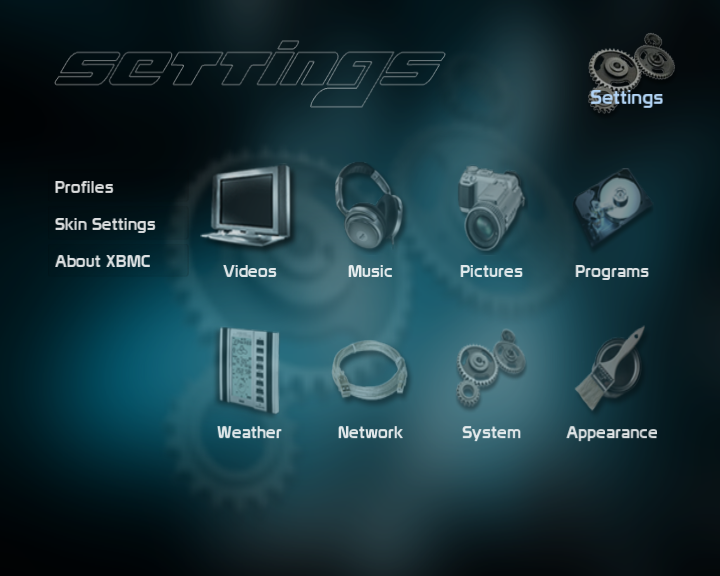
XBMC (“XBMC Media Center“) has been updated to version 9.04, codename Babylon, available now for Windows, Mac OS X, Linux, Apple TV, the classic Xbox, and bootable CDs or USB drives.

XBMC is a cross-platform open-source software available for Linux, Mac OS X (Leopard, Tiger, and Apple TV), Microsoft Windows operating-system, as well as the original Xbox game-console. With translations to over 30 languages for a worldwide audience. All versions of course completely free of any adware or spyware. It supports a very complete spectrum of of audio and video multimedia file formats and codecs right out-of-the-box, and include features such as playlist playback, audio visualizations, picture viewing, slideshows, and weather forecast functions, RSS feed scroller on your home screen, together with a ever expanding array of community driven third-party add-ons and plugins.

XBMC can play most audio and video file formats as well as display images at resolutions up to 1080p FullHD and over with no software limitation from virtually any source, including your local harddrive, CD/DVDs, USB flash drives, the Internet, and network shares, upscaling any lower resolutions videos to the maximum of your displays capability. XBMC can also playback DVD-Video movies with menus from ISO/IMG-images on-the-fly, even when they are in an RAR or ZIP archive. For music playback XBMC offers ReplayGain, gapless, crossfading, cue sheet, and pre-amplification playback option, as well as advanced smart playlists, and chapter support.

XBMCXBMC can download or stream Internet video and audio streams, and play Internet radio stations (such as Podcasts and SHOUTcast), and listen to your favorites and discover new music with free, streaming music from Last.fm, among others. It handles of course all common digital picture formats with the options of panning/zooming, and slideshow with “Ken Burns Effect“. XBMC also handles CBZ and CBR comic book archive files, this feature lets you view/read, browse and zoom the pictures of comics pages these contain without uncompressing them first.

This update finalizes features that were part of the 9.04 beta, including:

PPC (PowerPC) support for Mac OS X, VDPAU (NVIDIA GPU Hardware Accelerated Video Decoding for Linux), updated Codecs, new Karaoke features, more Media Info Scrapers, improved FanArt support, and of course enhancements to the XBMC Skinning Framework making it even more flexible and powerful.


Hit up the 9.04 changelog for a full look at the changes, or just head to the download page to grab the latest for your favored platform.


Update: Open Source Media Center XBMC 9.11: Camelot Released