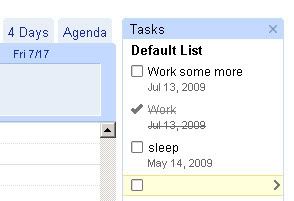
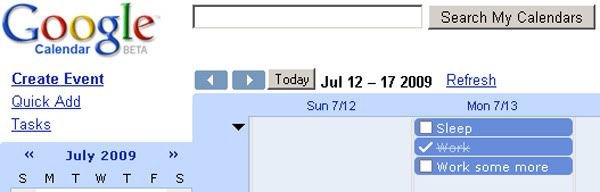
If you look at the upper left corner of
Google Calendar, you’ll see a new option: Tasks. Although you could have used Calendar’s standard events for the purpose of tasks and reminders, this new option adds several important features, but unfortunately it has some shortcomings and still doesn’t give Google Calendar the real task manager it deserves.
You can create a task in several ways. You can click on Tasks, which will open the task pane on the right (you can change its appearance, as well as manipulate and sort tasks through the Actions option at the bottom), where you can add new tasks by simply typing them into new lines. To add a due date for a task, click on the arrow on the right and click on a date in the calendar.
Furthermore, you can click on the top (blue) empty space in the day, week and 4 days views, or anywhere in the month view; you can now choose between adding an event or a task. You add new tasks in a way similar to the way you add events; type in a name and the description and you’re done.
Finally, you have certain organizational features to make sure your task list doesn’t turn into a big mess. You can create lists for tasks (click the list icon at the bottom of the task list), reassign tasks to different lists, as well as indent tasks that are dependant on other tasks.
Unfortunately, I don’t see why anyone would use tasks as they’re currently implemented, since they’re just a crippled version of events. You can’t choose an exact time for them, you cannot receive email or SMS notifications for them and, according to Google Operating System, they don’t sync with other apps; except for the quite versatile task list, Google Calendar’s task manager still needs some work before we can call it a “real” task manager.